About this app
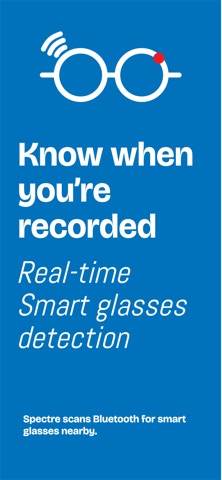
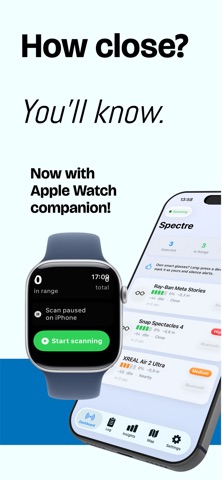
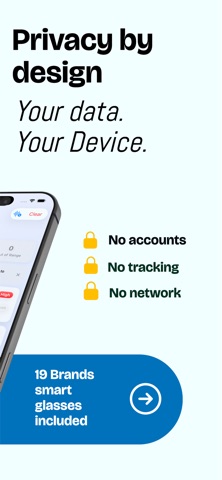
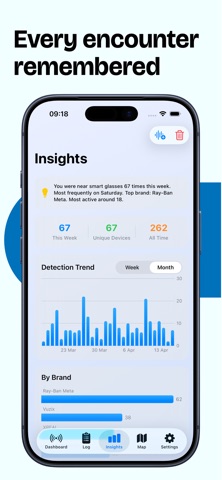
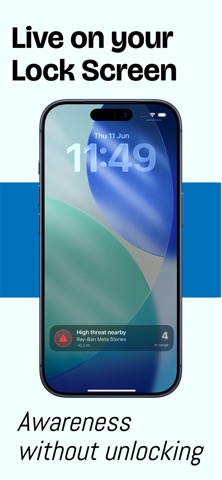
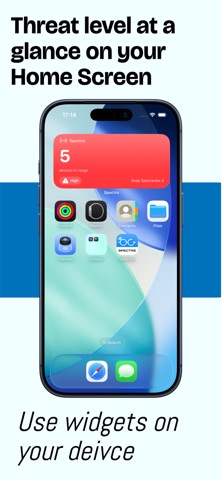
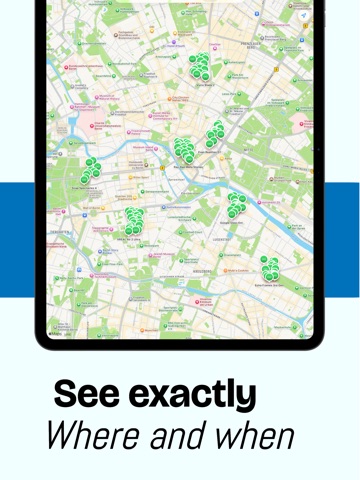
Smart glasses are everywhere — and many can record video without you knowing. Spectre uses Bluetooth Low Energy to detect smart glasses around you in real time, so you're never caught off guard. No account. No tracking. No network. Your data never leaves your device. HOW IT WORKS Spectre passively listens for Bluetooth signals broadcast by smart glasses. When it detects a known device, it shows the brand, estimated distance, signal strength, and a threat level based on proximity. You get notified instantly — on iPhone, on Apple Watch, and on your Lock Screen. No pairing. No connection to the device. Pure detection. 19 BRANDS RECOGNIZED • Ray-Ban Meta · Oakley Meta · Snap Spectacles · Google Glass • XREAL · Xiaomi Glasses · Lenovo ThinkReality · TCL RayNeo · Even Realities · Brilliant Labs · Vuzix · OPPO Air Glass · Huawei Eyewear · Samsung Glasses • Amazon Echo Frames · Bose Frames · Fauna Audio · Solos AirGo · Razer Anzu Identification uses Bluetooth manufacturer IDs, service UUIDs, and name patterns — cross-referenced for accuracy. KEY FEATURES • Real-time dashboard with live signal strength, estimated distance, and threat level • Apple Watch companion app — wrist-tap alerts, start/stop scan controls • Radar Finder — walk to a device with Find My-style "warmer/colder" guidance • "Only alert for new devices" mode — silence familiar gear, catch strangers • Live Activity on the Lock Screen and Dynamic Island • Home Screen, Lock Screen, and StandBy widgets • Detection log with full history, search, and grouped timeline • Map view of where smart glasses were detected • Analytics with detection trends, brand breakdown, and peak hours • Customizable alerts: notifications, audible alarms, haptic feedback • Continuous haptic pulse that intensifies as a device gets closer • Quiet hours, Stealth mode, Face ID app lock • Device allowlist to ignore your own gear • CSV and JSON export • Siri Shortcuts: "Start scanning", "Are glasses nearby?" • Background scanning with Bluetooth state restoration • 6 languages: English, Dutch, French, German, Spanish, Catalan • Demo mode to try Spectre without nearby devices PRIVACY FIRST • No accounts, no sign-ups • No analytics, no telemetry, no tracking • Zero network requests — Spectre works entirely offline • Detection logs stored locally on-device using SwiftData • Optional location tagging stays on-device • GDPR compliant • Export or delete your data at any time WHO IS THIS FOR? Anyone who values their privacy — at a café, in a meeting, in a changing room, in a rideshare, or just walking through a crowd. Whether you're a journalist, an activist, an executive, or simply privacy-conscious, Spectre gives you awareness of recording-capable eyewear nearby. Spectre needs Bluetooth access to function. Location access is optional. No connections are ever made with detected devices.
Latest release
What’s New
Spectre now does more — and you can try real scanning for free. • Free daily scanning: scan for smart glasses up to 30 minutes every day, no subscription needed. • Device Detail screen: tap any detected device to see live signal, estimated distance, detection history with a signal chart, and exactly which Bluetooth signals identified it. • Smarter distance: when a device broadcasts its transmit power, Spectre now calibrates the distance estimate per-device for more accurate proximity and radar. • PDF detection report: export a timestamped record of every detection — device, time, signal strength, and GPS coordinates — with tappable Apple Maps links. Perfect for keeping evidence. • Understanding Smart Glasses: a new privacy guide explains camera, AR, and audio glasses, their privacy risk, and what you can do when one is nearby. • Full support for English, Dutch, French, German, Spanish, and Catalan. As always: 100% private. Nothing ever leaves your device.
Audience growth
Ratings growth
Baseline captured. Growth appears after the crawler observes a changed rating count.
Momentum comes from crawler snapshots for the tracked storefront. “Viral growth signal” means unusually fast recent rating gains; it is an indicator, not download data.
Price tracking
Price intelligence
First snapshot captured. The trend line starts after the next crawler price observation.
- First observed Sep 7, 2026 · 10:44 AM Free
Screenshots