About this app
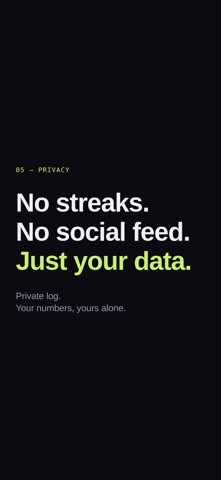
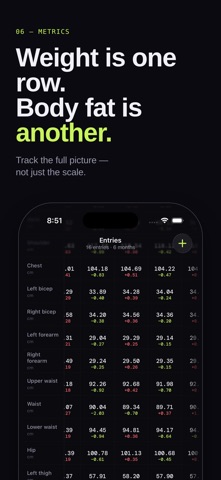
Physique is a private log for the numbers that matter to your body. Weight. Body fat. Waist. Hip. Chest. Lifts. Run times — log them all, and watch what actually moves. It's built for one person: you. No feed, no friends list, no leaderboard. Nobody sees your measurements except you. Physique's only job is to make logging fast and reading the trend honest. THE TABLE Every entry, every metric, in one dense scrollable grid. Today's column is highlighted. Deltas live next to the number — not buried in a chart. Plateaus show up too. That's data. QUICK ENTRY A bottom sheet, a list of your measurements, a Save button. Most people are done in under twenty seconds. YOUR METRICS, NOT OURS Choose which body measurements you actually care about. Reorder them. Add new ones. Hide the ones you've outgrown. Weight is one row. Waist is another. So is body fat, hip, chest — whatever matters to you. TWO UNITS, YOUR CHOICE kg or lb. cm or in. Pick once in Settings, applied everywhere. CALM BY DEFAULT Dark theme. No notifications you didn't ask for. No celebratory confetti. No streaks. No flames. No "don't break the chain." Just the data, when you have it. If you've been tracking weight and measurements in Apple Notes, on a paper sheet, or in a spreadsheet — Physique is what those would look like if they'd been designed.
Latest release
What’s New
- New and edit entry now have a keyboard toolbar with Next and dismiss, and you can tap a whole row to jump to that field. - The measurements table highlights your latest entry. - In Settings → Measurements, tap Edit to reorder or remove metrics, and set per-metric progress direction — lower is better, higher is better, or no direction — so deltas match how you actually train.
Audience growth
Ratings growth
Baseline captured. Growth appears after the crawler observes a changed rating count.
Momentum comes from crawler snapshots for the tracked storefront. “Viral growth signal” means unusually fast recent rating gains; it is an indicator, not download data.
Price tracking
Price intelligence
First snapshot captured. The trend line starts after the next crawler price observation.
- First observed Sep 4, 2026 · 2:39 AM Free
Screenshots