About this app
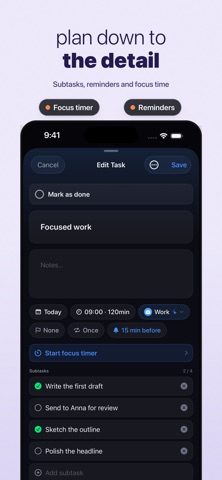
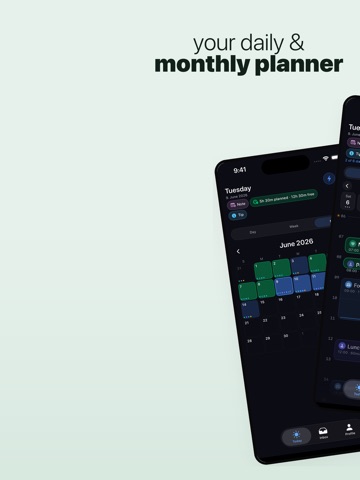
Plan your day with the time-blocking method — the proven approach focused people use to get more done in less time. DayPlan turns your empty calendar into a clear plan. Drag tasks onto a visual hourly timeline, group them by colored category, and see exactly where your time goes. CORE FEATURES • Day timeline with drag-and-drop scheduling • Recurring tasks (daily, weekly, monthly, yearly) • Routines — save reusable templates and insert them with one tap • Colored categories for work, fitness, personal, and more • Auto-Schedule — fills free time slots intelligently with your inbox tasks • Local reminders for upcoming tasks • Apple Calendar integration (read-only) — see appointments alongside tasks • Lock-screen Live Activity for the running task • Siri & Shortcuts: "Add a task to DayPlan" • Works completely offline PREMIUM • iCloud sync across all your devices • Week and Month views for long-term planning • "Available Time" metric on the day overview • Custom categories with your own colors and icons • Day notes • Home Screen widgets • Apple Watch complication PRIVACY-FIRST DayPlan is built data-minimal: no account, no sign-in, no advertising, no tracking, no analytics SDKs. All tasks are stored locally on your device. If you enable iCloud sync, data is mirrored only into your own private iCloud database — we have no access. PRICING • Monthly subscription • Yearly subscription with a 7-day free trial • Lifetime — one-time payment, no subscription Subscriptions auto-renew unless cancelled 24 hours before the end of the current period in your Apple ID settings. — Terms of Use (EULA): https://www.apple.com/legal/internet-services/itunes/dev/stdeula/ Privacy Policy: https://dayplan-app.web.app/datenschutz
Latest release
What’s New
More room for your day The day view is tidier: the timeline starts noticeably higher up, your progress sits as a bar right under the date, and the paging arrows moved into the week strip. In the Inbox, every task now shows its category name instead of just a coloured dot. Move tasks without hunting for a menu Pick up a task and two targets appear along the bottom: "To tomorrow" and "Delete". Short blocks can be moved again too, instead of being stretched by accident. Fixed • The Live Activity started a new one after every app relaunch — eventually none appeared at all. • The widget kept showing the previous day's numbers. • The carry-over banner covered the date row in week and month view. • The day and month arrows now have VoiceOver labels. • On large displays the premium screen makes proper use of the space.
Audience growth
Ratings growth
Baseline captured. Growth appears after the crawler observes a changed rating count.
Momentum comes from crawler snapshots for the tracked storefront. “Viral growth signal” means unusually fast recent rating gains; it is an indicator, not download data.
Price tracking
Price intelligence
First snapshot captured. The trend line starts after the next crawler price observation.
- First observed Sep 14, 2026 · 3:26 PM Free
Screenshots