About this app
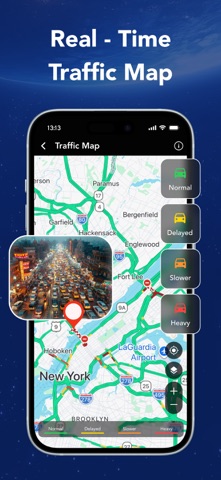
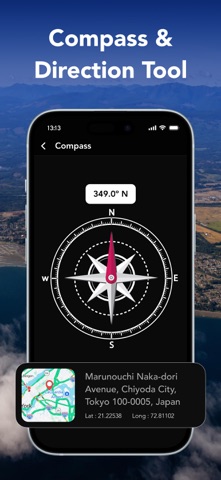
Street View - Map & Navigation lets you explore any location with satellite map view, gps map camera, real-time traffic, GPS coordinates, compass, street view, and measurement tools, everything you need for smarter navigation. Tired of switching between different tools just to explore, navigate, and measure? Street View - Map & Navigation brings street view, satellite maps, and real-time traffic maps together so every journey feels simple, smooth, and well planned. Whether you are finding nearby places, checking famous locations, viewing satellite maps, or measuring land area, get useful location tools right at your fingertips whenever you need them. Key Features of Street View - Map & Navigation : 1) Street View Walk through any street without stepping outside. Explore real surroundings, check locations up close, and get a ground-level view of any place right from your phone. 2) Real-Time Traffic Map Check traffic conditions before you head out. Avoid delays and find the fastest route with gps navigation, updated in real time so you always stay ahead. 3) Smart Navigation Tools Stay on track with a built-in compass that points you in the right direction. Navigate around your location and monitor real-time speed with a speedometer, useful for everyday travel. 4) Explore Nearby and Famous Places Discover places around you instantly. From local spots to famous landmarks, satellite map view lets you find and explore any location with just a few taps using your camera view. 5) GPS Coordinates Finder Get the exact latitude and longitude of any location with just a tap. Perfect for precise location tracking, travel planning and navigation needs. 6) Area and Distance Measurement Measure land area, calculate distance between two points and get circular measurements directly on the satellite map with results every time. Why Choose Street View - Map & Navigation? - Satellite map view - Real-time traffic map - Built-in compass and speedometer - Exact coordinates finder - Nearby and famous places explorer - Area, distance and circular measurement Every explorer needs one reliable tool. Street View - Map & Navigation is built for curious minds who want to discover, navigate and measure any location simply and accurately. Grab your phone and start discovering places, measuring distances and navigating routes, all without switching between multiple tools. Disclaimer: - This app offers paid features that require an additional purchase for full access. To enjoy all the content and functionality, a subscription is required. - Street View displays previously captured imagery and is not a live or real-time camera feed. Images may not reflect current conditions. Privacy Policy: https://vasundharaapps.com/street-view-map-navigation-ios/privacy-policy Terms and Conditions: https://vasundharaapps.com/street-view-map-navigation-ios/terms-of-use
Latest release
What’s New
Thanks for staying with us! The new version offers: - Bug fixes and performance improvements. - Improve User Experience - We love getting feedback from all of you! Please leave your feedback.
Audience growth
Ratings growth
Baseline captured. Growth appears after the crawler observes a changed rating count.
Momentum comes from crawler snapshots for the tracked storefront. “Viral growth signal” means unusually fast recent rating gains; it is an indicator, not download data.
Price tracking
Price intelligence
First snapshot captured. The trend line starts after the next crawler price observation.
- First observed Aug 25, 2026 · 5:54 PM Free
Screenshots