About this app
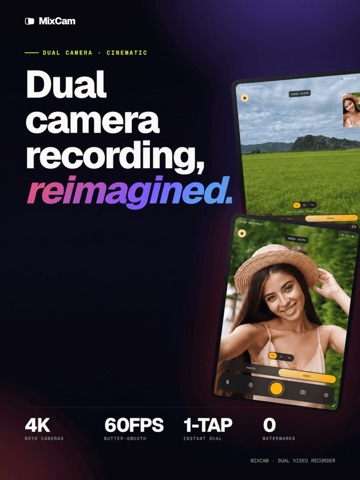
Record Your World, Capture Your Reaction: MixCam lets you use front+back cameras at once, so you never miss your own reaction while filming the scene. No need to reshoot – shoot amazing TikTok, Instagram Reels, YouTube vlogs, interviews and reaction videos in one take. Your audience craves authenticity with MixCam, give them every angle of the story. Feature Highlights: • Dual-Camera Shooting: Film yourself and your surroundings simultaneously. Save front, back, and merged video clips for flexible editing • Picture-in-Picture & Split-Screen: Instantly go from full-screen front camera to PiP or side-by-side split-screen. Perfect for comparing before/after, tutorials, or interviews • Dynamic “Switch Screen”: Flip between front/rear mid-record to keep every moment dynamic. Continue talking into the camera while showing what’s happening behind you. • Steady Pro Video: Use Action Mode for cinematic stabilization (4K at up to 60fps). Supports portrait or landscape, manual ISO, and zoom for broadcast-quality footage. • Smart Auto Features: Center Stage support automatically keeps you framed. Auto-adjust exposure & focus separately on each lens • Group Photo Mode: Take group selfies without a selfie-stick! Everyone’s in the shot – “never be left out of a photo again” • Built-In Creative Tools: Add motion blur effects live, apply filters, or use MixCam’s unique MixOver mode (control the front camera without lifting a finger) for interactive reaction shots. Why MixCam? MixCam helps creators capture front and rear camera perspectives in a single recording experience. It combines ease-of-use with pro tools – unlimited recording time, no watermarks, quick-share to social. Unlike other apps, MixCam is built for creators: it outputs ready-to-share formats (vertical + horizontal, square, or custom) and even offers a teleprompter and picture-in-picture presets. If you want more flexibility than Apple’s native options, MixCam is your go-to social video camera Designed for Content Creators: Teachers, vloggers, gamers and families love MixCam’s intuitive interface and social focus. Film your cooking tutorial and reaction in one clip, record a concert audience and stage in split-screen, or do a live unboxing with your smile in PiP. Post directly to TikTok, Instagram, or YouTube – no editing required. **Terms of Use:** By using MixCam, you agree to our Terms of Use: https://black-knight-studio.web.app/tos For support or feedback, please contact us at ndchi27@gmail.com.
Latest release
What’s New
- Fix bugs.
Audience growth
Ratings growth
Baseline captured. Growth appears after the crawler observes a changed rating count.
Momentum comes from crawler snapshots for the tracked storefront. “Viral growth signal” means unusually fast recent rating gains; it is an indicator, not download data.
Price tracking
Price intelligence
First snapshot captured. The trend line starts after the next crawler price observation.
- First observed Oct 15, 2026 · 10:07 AM Free
Screenshots