About this app
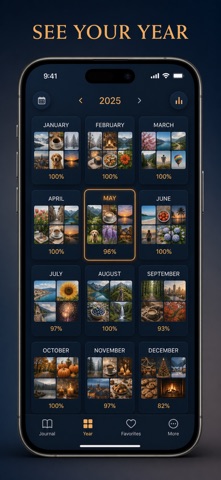
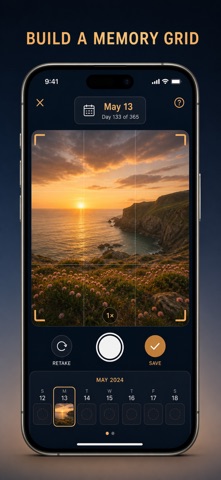
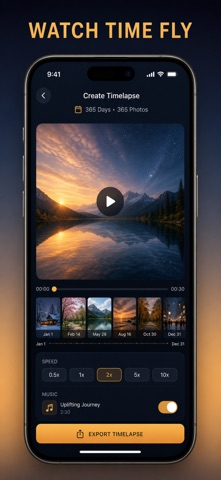
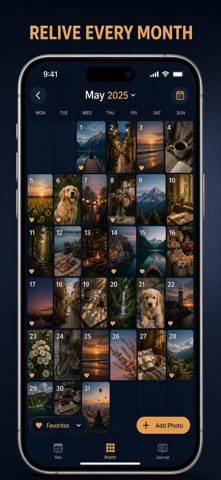
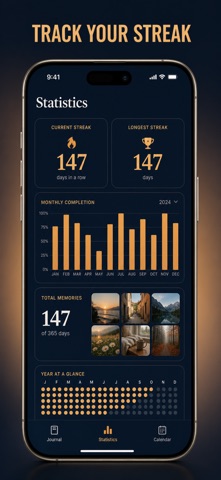
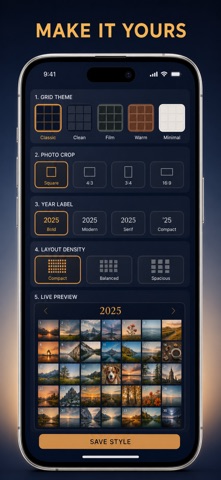
Take one photo a day and watch a whole year fill in, square by square. Photo a Day gives every single date its own cell in a 365-day grid, so a year of ordinary days turns into one picture you actually want to look back on. Most photo apps bury your best moments in an endless scroll where nothing has a date and nothing has a shape. This one is built the opposite way: one frame per day, a live coverage counter, and today always outlined so you know whether you have shown up. Missed a stretch? Smart Auto-Fill reads your library by date and offers the shot you already took, so the gaps close themselves. WHAT YOU GET - A full 365-cell year grid with a live "X of 365 days captured" counter and today outlined in amber - One tap to fill any day: pick a photo from your library, write a note about it, or drop in a color when there was no photo worth keeping - Smart Auto-Fill that scans your library date by date and proposes one photo per empty day, favorites first, then applies the whole batch at once - A timelapse video built from every photo you kept, at any frame rate from 6 to 30 fps, ready to share - A Memories tab that brings this same date back from every year you have captured - Insights that show your coverage percent, your best month, and a monthly bar chart of how the year really went PERFECT FOR - New parents documenting a first year, one day at a time - Travelers and students who want a visual record instead of an endless camera roll - Anyone building a daily photo habit they can actually see themselves keeping - People who want a year they can read at a glance instead of a folder of files WHY NOT JUST USE YOUR CAMERA ROLL Your camera roll holds thousands of pictures and no structure. Photo a Day gives each date exactly one frame, counts the days you have kept, marks the ones you still owe yourself, shows the same squares in a month calendar view, and turns the finished year into a poster or a timelapse in a couple of taps. Privacy Mode swaps every thumbnail for a color block when someone is looking over your shoulder, and a daily reminder at the time you choose keeps the habit going. PRIVACY Everything stays on your device. No account, no sign-up, no cloud upload, no tracking, no ads. Photos are read from your own library and never leave your phone. FULL ACCESS Photo a Day Premium unlocks Smart Auto-Fill, timelapse video export, the full Insights view, high-resolution poster export, and extra years beyond the current one. Choose the plan that suits you: weekly, yearly, or a one-time lifetime purchase that never renews. Subscriptions renew automatically unless canceled at least 24 hours before the end of the current period; manage or cancel anytime in your App Store account settings. Open the app, add a photo to today's square, and let the rest of the year build itself. Terms of Use (EULA): https://web-levi.web.app/terms Privacy Policy: https://web-levi.web.app/privacy-policy Questions? tphuc.work@gmail.com
Latest release
What’s New
Bug fixes and performance improvements.
Audience growth
Ratings growth
Baseline captured. Growth appears after the crawler observes a changed rating count.
Momentum comes from crawler snapshots for the tracked storefront. “Viral growth signal” means unusually fast recent rating gains; it is an indicator, not download data.
Price tracking
Price intelligence
First snapshot captured. The trend line starts after the next crawler price observation.
- First observed Sep 11, 2026 · 8:31 AM Free
Screenshots