About this app
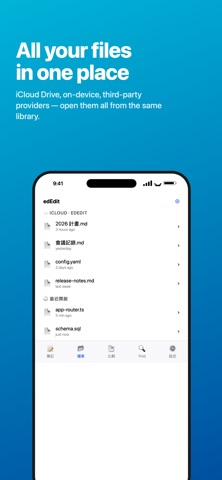
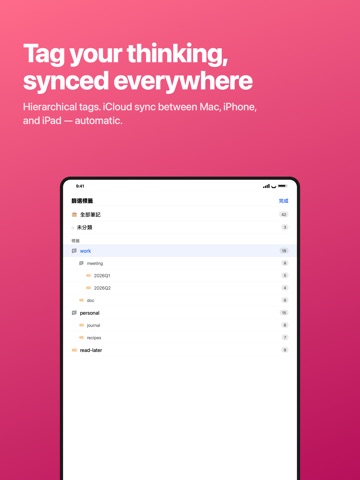
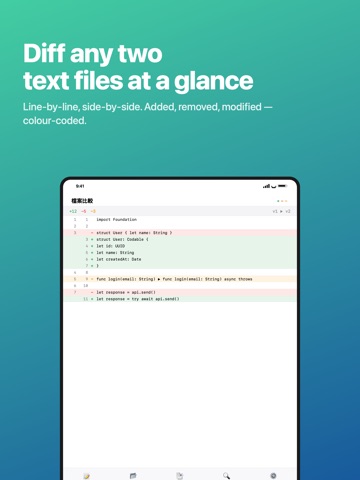
edEdit is a native text editor for Mac and iPhone/iPad that brings notes, Markdown, and source code editing into one app. WHY edEdit • Truly native: AppKit on macOS, SwiftUI on iOS — no web view sluggishness. • Consistent across platforms: your notes and files sync between Mac, iPhone, and iPad via iCloud. • Standard file formats only: everything is .md / .txt / .swift / .json — open elsewhere whenever you want. KEY FEATURES Notes — Apple Notes-style organization, with plain Markdown content: • Hierarchical tags (work/meeting/2026Q1) • iCloud sync across devices • Share from Apple Notes and we'll auto-convert formatting to Markdown — bold, italic, headings, lists, and checklists are preserved. Files — Open and edit any text file on your device: • Pull from the Files app, iCloud Drive, On My iPhone, or any provider • Automatic encoding detection (UTF-8, Big5, Shift-JIS, GB18030, …) • Syntax highlighting for Swift, JavaScript, TypeScript, Python, Go, Rust, C/C++, Java, HTML, JSON, YAML, Shell, Markdown, and more • Line numbers, light and dark themes • Save edits back to the original location iCloud Drive integration — Automatically creates an "edEdit" folder in iCloud Drive that syncs across all your devices. Dedicated Markdown editing: • Keyboard accessory bar: headings, bold, italic, lists, tasks, quotes, links, images • Hardware keyboard shortcuts: ⌘B (bold) / ⌘I (italic) / ⌘K (link) / ⌘E (code) / ⌘1-6 (headings) • Smart list continuation: pressing Enter in a list line auto-continues; pressing Enter on an empty item exits the list • Paste an image straight from the clipboard — we save it next to the .md file and insert a Markdown reference File compare — Visualize the differences between two files line-by-line, with added/removed/modified highlights. Find in Files — Recursively search a folder you pick, filterable by filename glob. Share & print — Built-in ShareLink, with AirPrint support. WHO IT'S FOR • Developers writing docs, reading logs, editing config files • Writers using Markdown for blog posts and drafts • Anyone who wants their files to stay theirs — no proprietary lock-in • People who switch between editing on Mac and quick capture on iPhone PRIVACY & COMPLIANCE • Notes, files, and images stay on your device or in your own iCloud — our servers never see them • Free tier includes ads served by Google AdMob (shown on app launch and occasionally when closing the note editor) • Upgrade to Pro to remove all ads
Latest release
What’s New
1. Bugs fixed 2. Enable CSV file previewing and adjusting column width and height
Audience growth
Ratings growth
Baseline captured. Growth appears after the crawler observes a changed rating count.
Momentum comes from crawler snapshots for the tracked storefront. “Viral growth signal” means unusually fast recent rating gains; it is an indicator, not download data.
Price tracking
Price intelligence
First snapshot captured. The trend line starts after the next crawler price observation.
- First observed Aug 22, 2026 · 12:45 PM Free
Screenshots