About this app
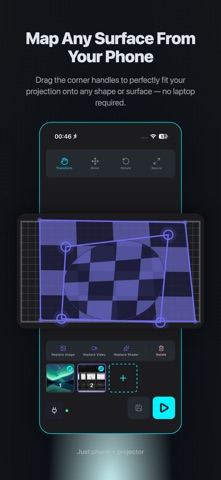
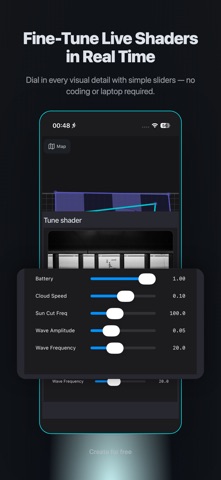
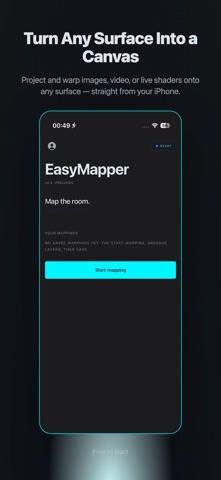
EasyMapper Studio is projection mapping you can actually carry. Take any image or video from your phone and warp it onto walls, stages, sculptures, or any physical surface — using just an iPhone and a projector. No laptop, no expensive software, no setup nightmares. PREMIUM SUBSCRIPTION EasyMapper Studio's full feature set requires a Premium subscription. Without Premium you can install the app and explore the interface; Premium unlocks everything below. KEY FEATURES (Premium) • Multi-layer editing — stack images and videos on the same projection. Drag, warp, and arrange each layer independently. • Corner-drag perspective transform — tap a corner of any layer and drag it to align with your projection surface. The math is handled. • Warp videos or animated shaders onto different layers with optimal performance. • Move tool — drag entire layers around with one finger. Pinch-zoom for precision. • Real-time preview — the editor mirrors what your projector sees. • Photos and videos from your Camera Roll. Videos loop automatically. • Built-in shader library to get started in seconds. PERFECT FOR • Social media — turn your bedroom wall into a content backdrop • Live events — VJ-style backdrops, stage decoration, branded installations • Galleries and pop-ups — quick projection art without a desktop rig • Prototyping installations before committing to expensive software WHAT YOU NEED • An iPhone (this app) • A projector (any cheap one works) • A USB-C or Lightning to HDMI adapter • A surface to project onto EasyMapper Studio handles the rest. Subscription auto-renews until cancelled. Manage or cancel anytime in Settings → your Apple ID → Subscriptions. PRIVACY Your photos and videos stay on your device and are never uploaded. Privacy Policy: https://easy-mapper-seven.vercel.app/privacy-policy Terms of Use (EULA): https://www.apple.com/legal/internet-services/itunes/dev/stdeula/
Latest release
What’s New
- Apply shaders to all the mapped surfaces at once - A wide variety of new shaders for more creative projections
Audience growth
Ratings growth
Baseline captured. Growth appears after the crawler observes a changed rating count.
Momentum comes from crawler snapshots for the tracked storefront. “Viral growth signal” means unusually fast recent rating gains; it is an indicator, not download data.
Price tracking
Price intelligence
First snapshot captured. The trend line starts after the next crawler price observation.
- First observed Aug 22, 2026 · 10:05 AM Free
Screenshots