About this app
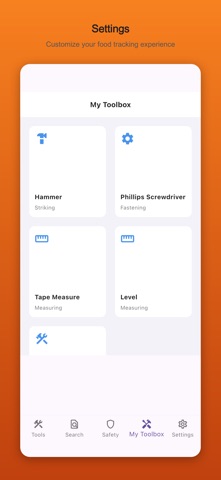
You're at the hardware store. You need the thing that grips the nut and has the ratchet mechanism. You can describe it, but you can't name it, and the employee is waiting. Tool Box shows you 100+ tools by name, category, and use case — so you can find what you need, know what to ask for, and understand exactly what it's for before you buy it. 【Key Features】 - Tool Library: Browse 100+ tools organized by category - cutting, striking, drilling, measuring, and fastening - Smart Search: Find any tool instantly by name or category keyword - Reverse Search: Select your task and get the exact tools you need (free: 3 lookups/day) - Safety Guide: Proper usage, common mistakes to avoid, and storage tips for each tool category - My Toolbox: Save your tools and see what projects you can tackle 【Perfect For】 - DIY beginners assembling IKEA furniture or doing home repairs - New homeowners learning which tools to buy first - Anyone standing confused in the hardware store aisle 【Get Started for Free】 - Browse the full tool library - no account needed - Reverse search (3 free lookups per day) - Save up to 20 tools to My Toolbox 【Tool Box Premium】 - Unlimited reverse search lookups - Save unlimited tools to My Toolbox - Subscription automatically renews unless canceled 24 hours before the renewal date - Payment charged to Apple ID account at purchase confirmation - Manage or cancel anytime in your Apple ID Account Settings Privacy Policy: https://color-blind-prod.web.app/privacy.html Terms of Use: https://color-blind-prod.web.app/terms.html
Audience growth
Ratings growth
Baseline captured. Growth appears after the crawler observes a changed rating count.
Momentum comes from crawler snapshots for the tracked storefront. “Viral growth signal” means unusually fast recent rating gains; it is an indicator, not download data.
Price tracking
Price intelligence
First snapshot captured. The trend line starts after the next crawler price observation.
- First observed Sep 20, 2026 · 5:54 AM Free
Screenshots