About this app
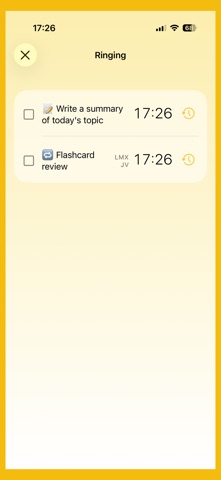
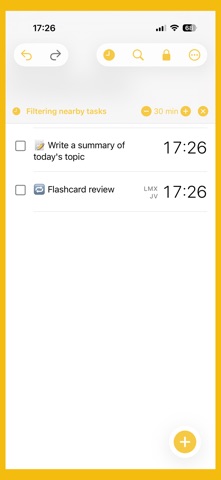
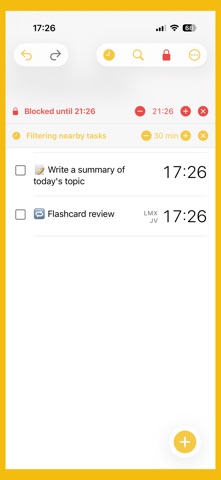
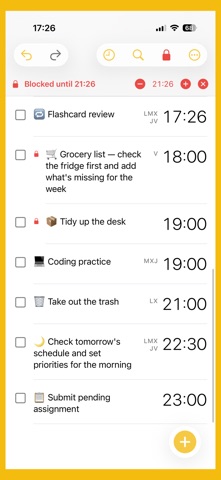
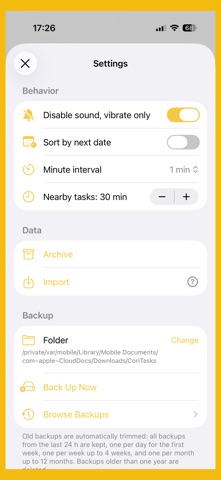
Got something pending? Pending makes sure it doesn't stay that way — with real system alarms that ring even when your iPhone is on silent or Do Not Disturb. REAL SYSTEM ALARMS Every reminder uses AlarmKit (iOS 26) to ring for real, without relying on push notifications that the system can silence, delay, or drop. WHEN IT RINGS Right from the alarm screen you can complete the task, snooze it, edit it, or silence it. When several tasks ring at the same time they're grouped together, so you can deal with each one in place. FOCUS ON WHAT'S NOW The "Now" filter hides everything except the tasks due around the current time, so a long list never gets in your way. WEEKLY REPEAT Set which days each reminder should repeat. Perfect for habits and routines: weekdays only, every Tuesday, or any combination you choose. SILENCE WHEN YOU NEED TO Mute everything for 1 hour, 4 hours, until tomorrow, or from now — and see exactly which tasks are affected before you confirm. SKIP THE NEXT ONE Don't need it to ring tomorrow? Silence the next occurrence without deleting the reminder or losing its repeat schedule. COMPLETION HISTORY Mark a task done and it's logged with date and time in a file you can browse. You'll always know what you did and when. WIDGETS & QUICK ACTIONS A Lock Screen widget keeps your next tasks in view, and home screen quick actions let you add a task, show what's next, or silence in one tap. CREATE FROM ANY APP Share text or web links from Safari, Notes, or any other app directly into Pending: it arrives ready as a new task, set to schedule. IMPORT YOUR TASKS Bring in tasks from a file, with a clear report of any rows that couldn't be added. AUTOMATIC BACKUP Choose where to save your tasks — iCloud Drive, Files, or an external drive — and the app keeps it synced in the background. No accounts, no ads, no tracking. Your pending tasks are yours to keep. Requires iOS 26 or later.
Latest release
What’s New
What's new in 2.0 • Redesigned "Ringing" screen: when several tasks are due at the same time they now appear together, even with the app closed. • Live Activity while a task is ringing, so you can see it and act without opening the app. • Snooze your way: pick the minutes with the +/- controls and see exactly when each task will ring again. • Confirmation before completing a repeating task, so you don't dismiss it by mistake. • "Silence" is now "Block": block a time range even when it doesn't currently affect any task. • More reliable alarms: they re-arm correctly across day changes and time zone changes. • Fix: non-repeating tasks ring only once again. • New shareable diagnostics screen to help report issues.
Audience growth
Ratings growth
Baseline captured. Growth appears after the crawler observes a changed rating count.
Momentum comes from crawler snapshots for the tracked storefront. “Viral growth signal” means unusually fast recent rating gains; it is an indicator, not download data.
Price tracking
Price intelligence
First snapshot captured. The trend line starts after the next crawler price observation.
- First observed Sep 22, 2026 · 6:47 AM Free
Screenshots