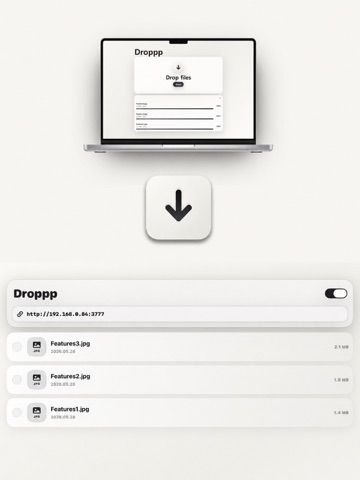
About this app
Droppp is a simple local Wi-Fi file transfer app for iPhone and iPad. Use Droppp when AirDrop is not available, when cable transfer is inconvenient, or when you do not want to upload files to the cloud. As long as the devices are connected to the same Wi-Fi network, you can send files through a browser without installing any extra desktop program. Turn on the local file drop server in Droppp, then open the displayed address in a browser on another device. Drag and drop photos, videos, documents, ZIP files, and more onto the web page, and they will be saved locally inside Droppp on your iPhone or iPad. Received files can be viewed, shared, deleted, or moved to other apps. You can also select multiple files and move them to apps that support drag and drop. Folders make it easier to keep incoming files organized. Create named folders, place folders inside other folders, and drag files or folders where they belong. Folder contents can also be shared, deleted, and downloaded from the local web viewer. Droppp works without accounts, login, or cloud upload. Files are transferred within your local Wi-Fi network, making it a simple and private way to move files between devices. History Insights helps you review recent transfer activity more easily. You can check what files were received and better understand how Droppp has been used over time. Key Features • Transfer files from any browser on the same Wi-Fi network • Send files directly to your iPhone or iPad • Drag and drop upload from a local web page • Store received files locally inside Droppp • View, share, delete, and organize saved files • Create named folders and nested folders to organize transfers • Drag files or folders into folders • Share, delete, and download folder contents from the web viewer • Select multiple files and move them to other apps • Drop files from other apps into Droppp storage • View and download Droppp storage files from another device’s local web page • Check recent transfer activity with History Insights • No account, no login, no cloud upload • Simple and private local file transfer • Quick guide available in Help under Settings Useful for • Sending files from Windows PC to iPhone • Moving files from Android, Mac, tablets, or other devices to iPad • Receiving files without cables, messengers, or cloud storage • Keeping transfers inside your local network • Quickly collecting temporary files, work files, photos, and documents Feedback: brick@pixelbricktek.com Privacy Policy: https://pixelbricktek.github.io/Droppp/privacy Terms of Use (EULA): https://www.apple.com/legal/internet-services/itunes/dev/stdeula/
Latest release
What’s New
1. Droppp now checks the available space on your iPhone before a transfer and alerts you if there is not enough storage. 2. Chunked uploads and automatic retries make large file transfers more reliable. 3. You can create TXT files and URL items in both the app and web viewer, then view, copy, or download them. 4. Fixed an issue that caused list items to move unexpectedly when navigating back from a folder. 5. Improved an issue where invalid requests or 404 errors could unexpectedly stop the web server. 6. Improved stability when stopping or restarting the server and changing ports. 7. Added privacy-friendly diagnostics. Records are kept for the most recent 7 days and can be reviewed, shared, or reset. 8. Feedback now displays the diagnostic preparation status and lets you compose an email without leaving the app.
Audience growth
Ratings growth
Baseline captured. Growth appears after the crawler observes a changed rating count.
Momentum comes from crawler snapshots for the tracked storefront. “Viral growth signal” means unusually fast recent rating gains; it is an indicator, not download data.
Price tracking
Price intelligence
First snapshot captured. The trend line starts after the next crawler price observation.
- First observed Aug 25, 2026 · 9:25 PM $1.99
Screenshots