About this app
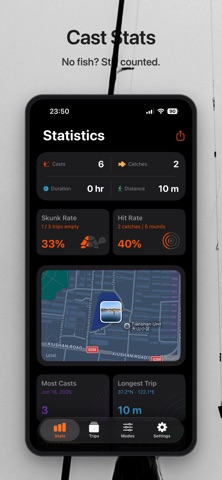
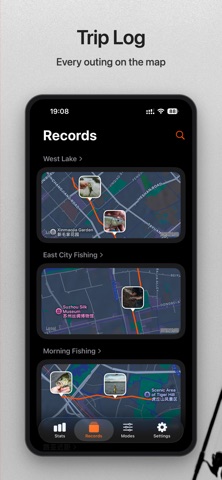
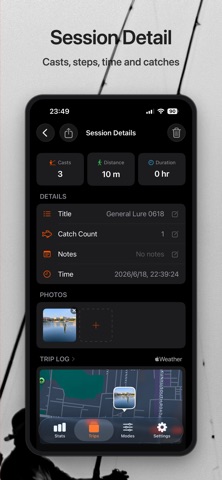
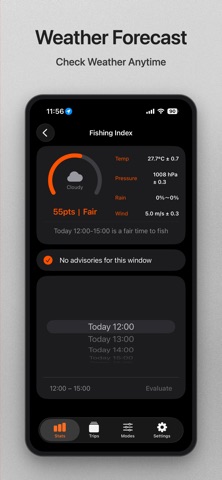
CastCount is a fishing cast counter and trip tracker. Works with Apple Watch to automatically track casts, steps and time, while keeping your catches in one place. No fish? Still counted. Most fishing apps only track what you caught. CastCount tracks what you did — how many casts you made, how far you walked, how long you fished. Even a skunked day has data worth keeping. Key Features - Start a session on your watch — casts, steps and time are tracked automatically - Log catches - View full session details on iPhone - Fishing calendar to review past trips - Weekly, monthly and yearly fishing summaries - Log every session — good days and skunk days alike Perfect for anglers who: - Fish lures, flies, shore or stream - Want to know how many casts they made per trip - Use a smartwatch to track outdoor activity - Want data beyond just catch logs - Like to review their fishing effort over time Why CastCount? Fishing isn't just about what you catch. Some days you land fish. Some days you cast for hours and go home skunked. Traditional fishing logs only capture the catch. CastCount captures the effort. Because every cast counts — even when the fish don't cooperate. Start a session on your watch, and fish. When you're done, check the full summary on iPhone: cast count, steps, time on the water and the day's result. Track casts, steps and every skunk day. CastCount — because every cast counts.
Latest release
What’s New
- Added detailed cast stats to the Stats tab - Upgraded acceleration detection on Apple Watch for more accurate tracking - Tuned parameters for three default modes - Added a cast acceleration line chart to session details - Fixed known issues
Audience growth
Ratings growth
Baseline captured. Growth appears after the crawler observes a changed rating count.
Momentum comes from crawler snapshots for the tracked storefront. “Viral growth signal” means unusually fast recent rating gains; it is an indicator, not download data.
Price tracking
Price intelligence
First snapshot captured. The trend line starts after the next crawler price observation.
- First observed Sep 11, 2026 · 8:31 AM Free
Screenshots