About this app
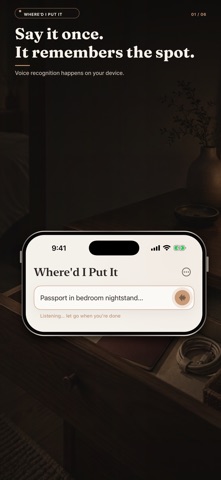
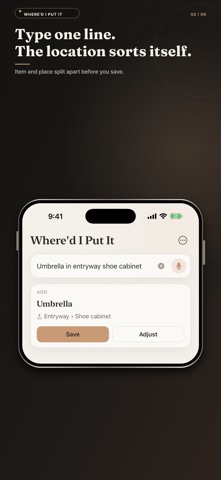
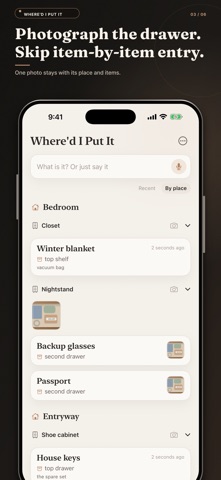
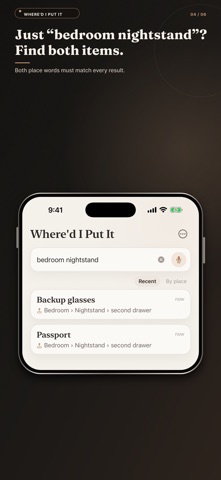
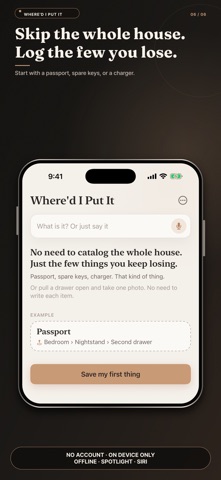
Where’d I Put It helps you remember exactly where everyday things live. Save an item with its room, furniture, container and precise spot, then search or browse your home whenever you need it. Everything stays on your device, with file export and import for backups. Where'd I Put It — never lose track of your stuff again. We all have that moment: you need your passport, the spare key, the charger… and you have no idea where you put it. Where'd I Put It is the simple memory aid that remembers for you. JOT IT DOWN ONCE The moment you stash something, note what it is and where it goes — bedroom, nightstand, second drawer. Done in seconds. FIND IT INSTANTLY Just search the item's name and the exact spot pops up. No more tearing the house apart. BROWSE BY PLACE See everything in a room, a cabinet, or a single drawer at a glance — perfect for tidying up or taking stock of what you own. YOURS, AND PRIVATE Everything stays on your device. No account, no sign-up, no cloud required. Export a backup anytime to keep your data safe or move it to a new phone. GREAT FOR • Keys, passports, documents, chargers, cables • Seasonal clothes and decorations you pack away • Tools, spare parts, and "I put it somewhere safe" items • Shared homes — everyone knows where things live Stop searching. Write it down once, find it in seconds.
Latest release
What’s New
• Spotlight: find whatever you put away straight from the search on your Home Screen. • Your list now travels through your own iCloud, so every device shows the same thing. • Writing down something you already noted finds the existing entry instead of making a second one. • Fixed: one damaged record could make the whole list look empty. • A calmer new look, with a proper first screen for newcomers.
Audience growth
Ratings growth
Baseline captured. Growth appears after the crawler observes a changed rating count.
Momentum comes from crawler snapshots for the tracked storefront. “Viral growth signal” means unusually fast recent rating gains; it is an indicator, not download data.
Price tracking
Price intelligence
First snapshot captured. The trend line starts after the next crawler price observation.
- First observed Oct 6, 2026 · 2:11 AM Free
Screenshots