About this app
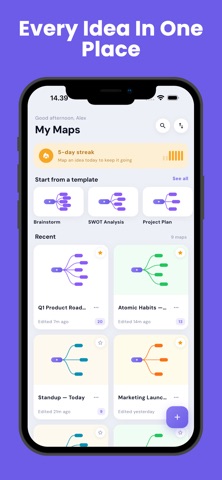
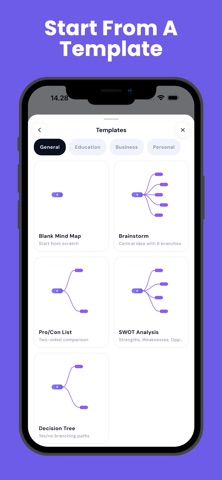
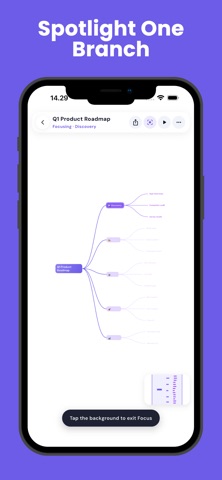
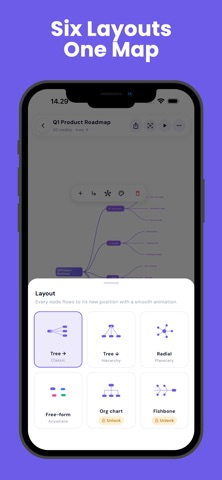
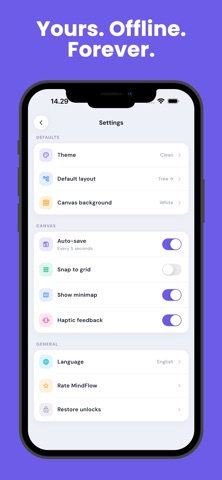
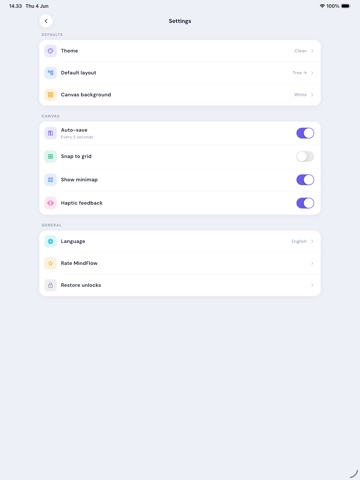
Some ideas only make sense once you can see them. MindFlow gives you an infinite canvas and gets out of the way. Type your central idea, branch it out, and watch the shape of your thinking appear. WHAT MAKES IT DIFFERENT Genuinely offline. There is no account, no sign-up, and no sync. Your maps live on your device and nowhere else — which means MindFlow works on a plane, on the subway, and in an exam hall. No subscription. The whole core app is free. Six ways to see the same idea. Free-form, radial, tree right, tree down, org chart, and fishbone. Switch and every node glides into its new arrangement — the same thoughts, a completely different perspective. Focus mode. Spotlight one branch, dim everything else, and think about one thing at a time. Present mode. Step through your map branch by branch, with zoom and highlight. Your brainstorm becomes a walkthrough without any extra work. Outline view. Every visual map is also a clean indented outline. Edit either side; both stay in sync. It is the fastest route from a messy brainstorm to a structured first draft. Fifteen templates. SWOT, decision tree, study notes, project plan, essay outline, meeting agenda, weekly planner and more — each one a real starting structure, not an empty page. Export it anywhere. PNG, PDF, plain-text outline, JSON backup, or OPML for other tools. BUILT FOR THE WAY PHONES ARE ACTUALLY HELD A canvas that stays smooth under your thumb. Large touch targets. Auto-save every five seconds, so you never think about saving. Unlimited maps. PRIVACY No account. No sign-up. No personal data collected. Your maps never leave your device. An internet connection is used only to display ads. MindFlow is for the moment when you have too many thoughts and not enough shape. Give them one.
Latest release
What’s New
What's new in 1.2.0 • Dragging nodes is completely reworked — nodes now track your finger at full frame rate, lift with a subtle shadow while held, and pick up much faster (the hold delay is nearly halved). • Fixed: a map in free-form layout could come back blank after reopening the app. Free-form maps now restore exactly as you arranged them. • Big maps feel lighter everywhere — text, the dot grid and Focus mode all render far more efficiently during pans and zooms. Thanks for mapping with us!
Audience growth
Ratings growth
Baseline captured. Growth appears after the crawler observes a changed rating count.
Momentum comes from crawler snapshots for the tracked storefront. “Viral growth signal” means unusually fast recent rating gains; it is an indicator, not download data.
Price tracking
Price intelligence
First snapshot captured. The trend line starts after the next crawler price observation.
- First observed Sep 7, 2026 · 7:55 PM Free
Screenshots