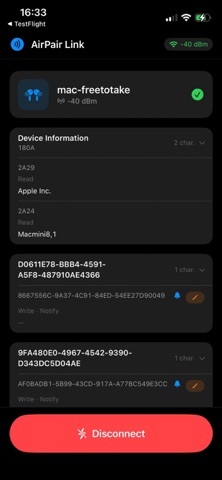
About this app
AirPair Link makes setting up and managing Bluetooth Low Energy (BLE) devices effortless—right from your iPhone. Scan a QR code to instantly open your device's setup page. No manual pairing steps, no complex menus. AirPair Link adapts to BLE devices and offers users a smooth, tailored experience every time. Built for flexibility, AirPair Link supports fully customizable device profiles: adjust colors, typography, button styles, and interface themes to match your product or brand identity. Every device can look and feel exactly the way you intend. Key features Instant QR launch — scan a code, open device settings in seconds Seamless BLE pairing — no complex setup, no third-party apps required Wi-Fi provisioning — connect your IoT device to a network in a few taps Custom device profiles — apply branded UI themes and colors, Real-time sync — live data exchange between device and app via SSE Whether you're a field technician, installer, or end user, AirPair Link gives you everything you need to get your Bluetooth device online and configured fast.
Latest release
What’s New
Bugfixes and UI changes.
Audience growth
Ratings growth
Baseline captured. Growth appears after the crawler observes a changed rating count.
Momentum comes from crawler snapshots for the tracked storefront. “Viral growth signal” means unusually fast recent rating gains; it is an indicator, not download data.
Price tracking
Price intelligence
First snapshot captured. The trend line starts after the next crawler price observation.
- First observed Oct 5, 2026 · 8:26 AM Free
Screenshots