About this app
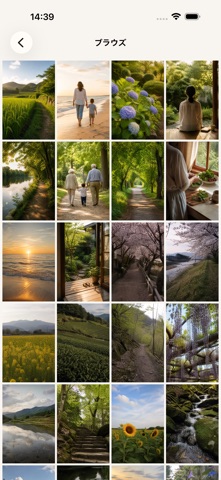
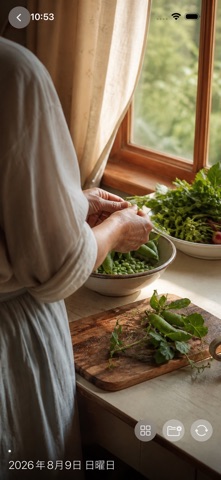
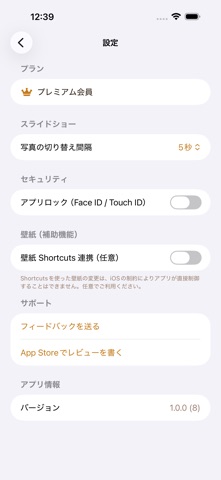
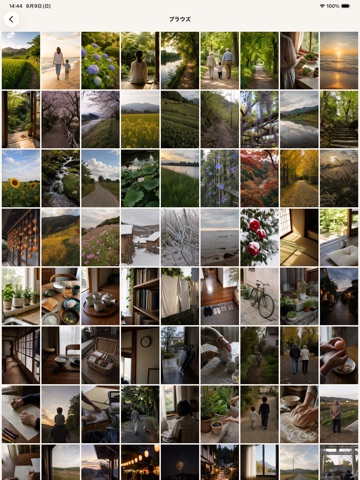
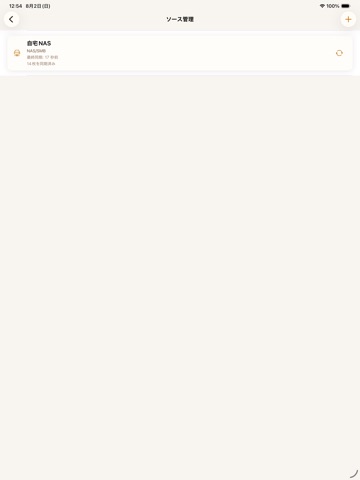
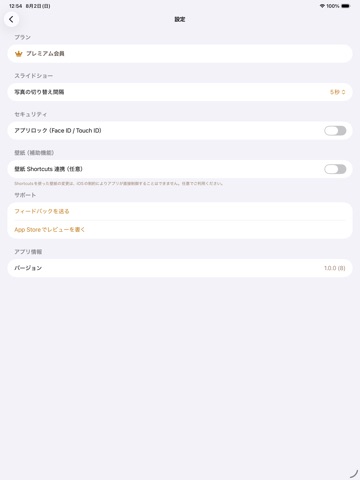
BRING YOUR ARCHIVED PHOTOS BACK INTO THE DAY The photos you moved to a NAS or a cloud drive to free up space are the ones you stop looking at. Memory Photo connects to where they already live and brings one back to your Home Screen widget and StandBy every day. Last year's date shows up without you opening anything. TRY EVERYTHING FOR 7 DAYS Memory Photo is a subscription app. The first 7 days are free and nothing is held back. Pick the monthly or the yearly plan to start the trial, and cancel within those 7 days to pay nothing. Connecting a NAS or signing in to a cloud drive takes a few minutes. Connect one place and get a photo onto the widget while the trial runs. Prices and renewal terms are under SUBSCRIPTION DETAILS below. CONNECT WHERE YOUR PHOTOS LIVE - NAS over SMB: enter the host, share, user name and password to connect directly - Dropbox and OneDrive: sign in to your own account and connect directly - Google Drive and iCloud Drive: pick the folder through the Files app Originals are never moved or edited. Only small thumbnails are cached on the device for display. WIDGETS AND STANDBY - Home Screen: small, medium and large - StandBy: full screen while the iPhone charges on its side - The picture changes every hour - On This Day favors shots taken on today's date in earlier years THREE WAYS TO LOOK Photo Frame - keep one picture on screen for as long as you like. On a charging stand it works as a desk frame. Slideshow - today's memories in order, at three, five or ten seconds each. Browse - everything cached so far, newest first, in a grid. MANY PLACES, ONE VIEW AT A TIME Connect the family NAS and your own cloud drive at the same time, then switch which of them the app is showing. The choice reaches the widget right away. YOUR PHOTOS STAY WHERE YOU PUT THEM - Photos and thumbnails move only between your own storage and your device. They are never sent to our servers. - Thumbnails are cached inside the app's own storage. The limit starts at 2 GB and is adjustable from 0.5 to 20 GB. - NAS credentials and folder access rights are held in the iOS Keychain. - Face ID or Touch ID can lock the app itself. ABOUT WALLPAPER iOS does not let an app change your wallpaper. The in-app guide walks you through doing it yourself with the Shortcuts app. It is entirely optional. BEFORE YOU START - iOS 17.0 or later. - A NAS connection needs an SMB share reachable on the same network. - The first sync can take a while depending on how many photos you have. SUBSCRIPTION DETAILS - Premium Monthly: auto-renewing subscription, 1 month - Premium Yearly: auto-renewing subscription, 1 year - Both begin with a 7-day free trial, offered once per Apple Account. - The exact price in your local currency is shown in the app before you confirm. - Payment is charged to your Apple Account when the free trial ends, unless it is cancelled first. - A subscription renews automatically unless auto-renew is switched off at least 24 hours before the end of the current period. - Manage or cancel anytime in Settings > Apple Account > Subscriptions. - Terms of Use (EULA): https://www.apple.com/legal/internet-services/itunes/dev/stdeula/ - Privacy Policy: https://bittersweets-art.github.io/sweets-apps-privacy/memoryphoto/ TRADEMARKS - Dropbox is a trademark of Dropbox, Inc. - Microsoft and OneDrive are trademarks of Microsoft Corporation. - Google and Google Drive are trademarks of Google LLC. - Apple, iCloud, StandBy, Face ID and Touch ID are trademarks of Apple Inc. - This app is not affiliated with or endorsed by any of these companies.
Latest release
What’s New
Fixed an issue where the Terms of Use and Privacy Policy links on the premium plan screen could not be opened on iPad.
Audience growth
Ratings growth
Baseline captured. Growth appears after the crawler observes a changed rating count.
Momentum comes from crawler snapshots for the tracked storefront. “Viral growth signal” means unusually fast recent rating gains; it is an indicator, not download data.
Price tracking
Price intelligence
First snapshot captured. The trend line starts after the next crawler price observation.
- First observed Aug 26, 2026 · 11:32 PM Free
Screenshots