About this app
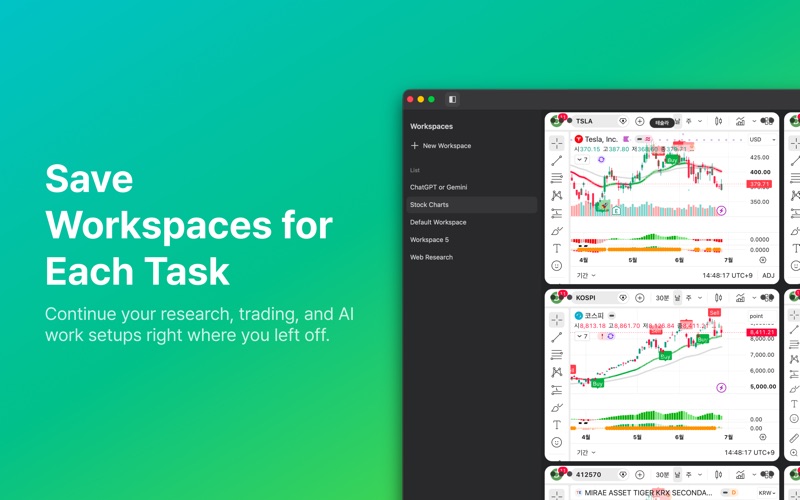
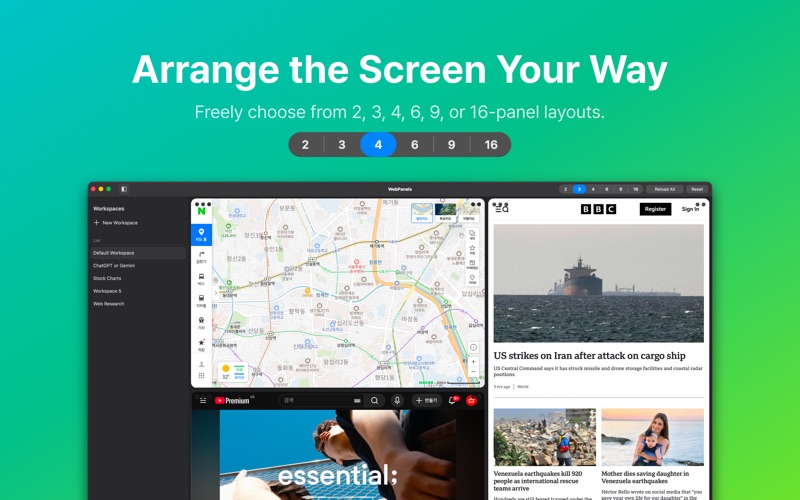
WebPanels is a grid browser for macOS that lets you view multiple websites in one window and save your web setup as reusable workspaces. It is useful for research, trading, news monitoring, comparing AI tools, building work dashboards, or any workflow where you need to keep several web pages visible at the same time. Instead of switching between tabs or arranging multiple browser windows, you can organize the websites you need into panels and see everything at a glance. Key Features • 2, 3, 4, 6, 9, and 16-panel layouts • Save URLs for each panel • Save notes for each panel • Create and switch between workspaces • Resize panels and save their proportions • Save zoom level for each panel • Back, forward, and reload controls • Address input, memo input, and expanded window view • iCloud backup and sync for workspaces • A dark glass interface designed for macOS The free version includes 2-panel and 3-panel layouts. WebPanels Pro unlocks more split layouts, unlimited workspaces, and iCloud backup and sync. WebPanels is made for people who work with multiple web pages at once. Arrange the websites you need, add notes, save your setup, and return to the same workflow whenever you need it. Think Human Designed by SuperDG Terms of Use (EULA): https://www.apple.com/legal/macapps/stdeula/
Latest release
What’s New
- Added common browser keyboard shortcuts. - Fixed window-closing crashes and improved stability.
Audience growth
Ratings growth
Baseline captured. Growth appears after the crawler observes a changed rating count.
Momentum comes from crawler snapshots for the tracked storefront. “Viral growth signal” means unusually fast recent rating gains; it is an indicator, not download data.
Price tracking
Price intelligence
First snapshot captured. The trend line starts after the next crawler price observation.
- First observed Aug 27, 2026 · 1:54 PM Free
Screenshots