About this app
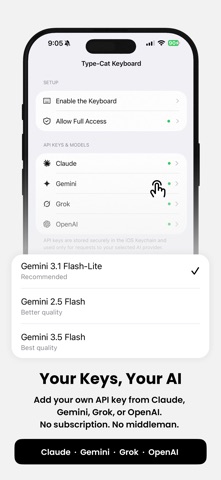
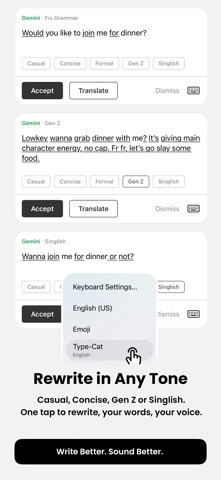
Type-Cat brings AI-powered writing directly into your keyboard - no app switching, no copy-pasting.. Wherever you type on iPhone, Type-Cat is there. Select your text or start typing, and let AI fix your grammar, adjust your tone, or translate - all without leaving the app you're in. FEATURES • Fix Grammar - Automatically detects and corrects grammar, spelling, punctuation, and verb agreement errors while preserving your original meaning. • Rewrite Tone - Instantly rewrite your text as Casual, Concise, Formal, Gen Z, Singlish. • Translate - Translate your text into English, Chinese, Malay, Indonesian, Japanese, Korean, Thai, Vietnamese, French, German, or Spanish. • Quick Fix Bar - Spelling corrections appear inline above the keyboard so you can apply them with a single tap. BRING YOUR OWN KEY Type-Cat works with your own API key - you choose your AI provider: • OpenAI (GPT) • Google Gemini • xAI Grok • Anthropic Claude Your API key is stored securely in the iOS Keychain and never shared with anyone. Text is sent directly from your device to your chosen provider - the developer never sees it. PRIVACY FIRST • No account required • No data collection • No tracking or analytics • Spelling checks run entirely on-device HOW TO GET STARTED 1. Install Type-Cat 2. Go to Settings → General → Keyboard → Keyboards → Add New Keyboard → Type-Cat 3. Tap Type-Cat and enable Allow Full Access 4. Open Type-Cat and add your API key 5. Start typing anywhere — tap the cat icon to open the assistant
Latest release
What’s New
Performance improvements and bug fixes.
Audience growth
Ratings growth
Baseline captured. Growth appears after the crawler observes a changed rating count.
Momentum comes from crawler snapshots for the tracked storefront. “Viral growth signal” means unusually fast recent rating gains; it is an indicator, not download data.
Price tracking
Price intelligence
First snapshot captured. The trend line starts after the next crawler price observation.
- First observed Sep 14, 2026 · 9:53 PM Free
Screenshots