About this app
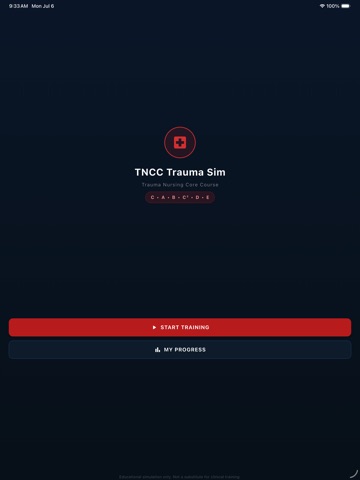
TNCC Trauma Sim is an offline simulation for nurses and nursing students learning the Trauma Nursing Core Course (TNCC) C-ABC protocol — Catastrophic Hemorrhage, Airway, Breathing, Circulation, Disability, Exposure. WHAT IT DOES • Branching trauma scenarios with realistic patient body visualization and live vital-sign changes. • Forced C-ABC sequence: wrong decisions cause patient deterioration with immediate, TNCC-cited feedback. • Score + debrief at the end of every scenario, with step-by-step rationale. • Progress tracking — see completed scenarios, average score, time spent. • All scenarios are bundled in the app and work offline — no account, no login. (Free, supported by a single non-personalized banner ad that loads when you're online.) INTENDED USERS Registered nurses, student nurses, paramedics, and other allied health learners preparing for or reinforcing TNCC content. Not intended as a substitute for live clinical training or supervised practice. WHAT IT IS NOT • Not a clinical decision-support tool. • Not for real patient care. • Not affiliated with or endorsed by the Emergency Nurses Association (the official TNCC course provider). PRIVACY All scenario content runs on-device — no account, no login, no analytics. The app is free and supported by a single banner ad (Google AdMob), which is the only network connection it makes; ads are non-personalized and the app does not track you across other apps. The only data stored on this device is your scenario-completion progress. Made by BlackFox Media LLC.
Latest release
What’s New
Ads are gone. TNCC Trauma Sim is now completely ad-free and offline — no advertising, no tracking, no data collection, and no permission prompts. Nothing interrupts a scenario, and the banner no longer takes up space on screen. Also in this release: the layout bug that could collapse the screen while an ad loaded is permanently resolved, because the ad code it depended on has been removed entirely. Plus a faster, steadier My Progress screen, and a fix that could record a finished scenario twice in your completion stats.
Audience growth
Ratings growth
Baseline captured. Growth appears after the crawler observes a changed rating count.
Momentum comes from crawler snapshots for the tracked storefront. “Viral growth signal” means unusually fast recent rating gains; it is an indicator, not download data.
Price tracking
Price intelligence
First snapshot captured. The trend line starts after the next crawler price observation.
- First observed Sep 29, 2026 · 7:54 AM Free
Screenshots