About this app
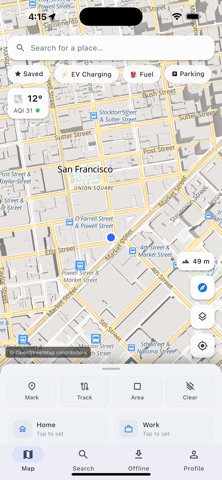
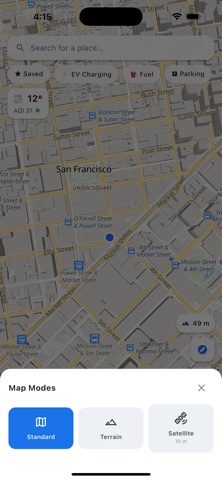
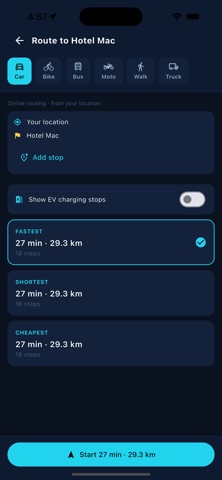
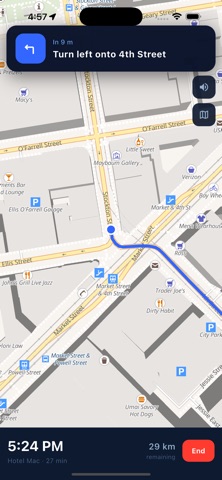
Offline Maps by MAPOG lets you download maps and navigate anywhere — even with no internet connection. Built on OpenStreetMap and designed to be private, fast, and offline-ready. DOWNLOAD & GO OFFLINE • Download any city, region, or country for full offline use • See exactly how much space each map takes before you download • Lightweight storage — keep the places you need without filling your phone • Perfect for travel, hiking, road trips, and low-signal areas NAVIGATE WITH CONFIDENCE • Live GPS location with heading and follow mode • Turn-by-turn directions with spoken voice guidance • Standard, Terrain, and Satellite map views • Distance, area, and track measuring tools FIND WHAT MATTERS NEARBY • EV charging stations, fuel, and parking at a tap • Search millions of places and points of interest • Save favorites and set Home and Work shortcuts • Live weather and air-quality (AQI) at your location PRIVACY FIRST • No ads. No tracking. Your data stays on your device. • Use the full core experience as a guest — no account required • Optional sign-in with Apple or Google to sync your account Whether you're exploring a new city, heading off-grid, or just want reliable maps without using mobile data, Offline Maps by MAPOG keeps you on track wherever you go. Map data © OpenStreetMap contributors.
Latest release
What’s New
• CarPlay support — see your route and get turn-by-turn guidance right on your car's display • EV-aware routing — plan a trip through a charging stop when your route needs one • Full offline search — find places from your downloaded maps even without a signal • Delete your account anytime, right from Settings • A live indicator shows how much of the map you're viewing is available offline • Clearer place boundaries, smoother 3D/terrain switching, and a redesigned units picker • Smoother route planning, with per-route Go buttons and haptic feedback when removing a pin Thanks for using Offline Maps by MAPOG — keep the feedback coming!
Audience growth
Ratings growth
Baseline captured. Growth appears after the crawler observes a changed rating count.
Momentum comes from crawler snapshots for the tracked storefront. “Viral growth signal” means unusually fast recent rating gains; it is an indicator, not download data.
Price tracking
Price intelligence
First snapshot captured. The trend line starts after the next crawler price observation.
- First observed Sep 8, 2026 · 6:06 AM Free
Screenshots