About this app
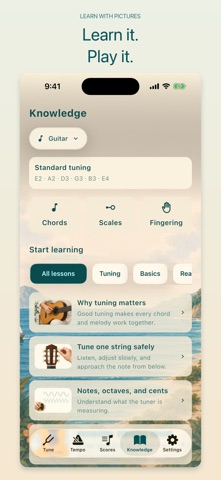
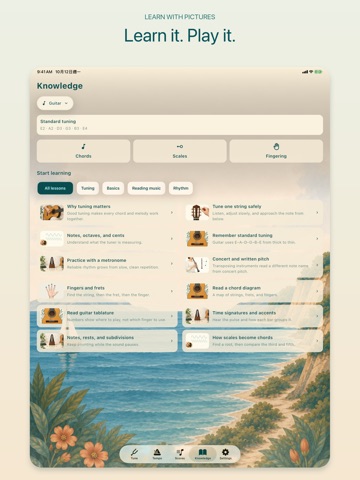
Tune, keep time, and practice from your own scores. OneTune brings an offline instrument tuner, metronome, score library, and beginner knowledge references together on iPhone and iPad. Choose from 45 instrument and tuning presets plus Universal Tuning (chromatic mode), covering guitar, ukulele, bass, bowed strings, mandolin, banjo, Chinese strings, and transposing wind instruments. Read pitch, frequency, and cents on a clear visual gauge. Select a target string to begin listening immediately; reference tones play only when you request them. Practice with a 30–240 BPM metronome, tap tempo, four time signatures, quarter-note, eighth-note, triplet, and sixteenth-note subdivisions, and an optional first-beat accent. Open the Knowledge tab for 24 guitar and ukulele chord diagrams, 120 scale combinations across 12 roots and five scale families, and 12 illustrated beginner lessons. Explore strings and finger placement, tuning, notes and cents, time signatures, rhythm, tablature, and concert versus written pitch. Chord and scale diagrams support right-handed and left-handed views, with offline audio previews. Import PDF scores or score photos into your local library. Organize and favorite scores, read pages, add pen or highlighter marks, and erase unwanted annotation strokes with undo and redo. Share the original or an annotated PDF. Back up your library and restore it locally. Universal Tuning, standard guitar, standard ukulele, and concert-pitch wind tuning are free. A yearly Pro subscription or one-time lifetime purchase unlocks the full preset library, adjustable A4 reference pitch, and precision confidence controls. Add Home Screen widgets to check saved tuning notes, A4 reference pitch, tempo, and beat count, then open the tuner or metronome with a tap. Widgets show saved settings; they do not measure live sound or play a beat in the background. Supports iOS 16 and later, with compact controls and layouts for iPhone and iPad. Tuning, rhythm practice, score reading, and knowledge references work offline. Microphone audio is analyzed in memory on your device, never recorded or uploaded. No account, in-app ads, or third-party tracking. Terms of Use: https://oneapps.studio/terms
Latest release
What’s New
A clearer start, better music references, and simpler Pro access. • Start with onboarding that covers string and wind instruments. • Open chords, scales, and fingering from three compact Knowledge shortcuts. Browse verified diagrams and beginner lessons. • Erase handwritten score annotations, undo or redo changes, and keep edits saved locally. • Purchased Pro access refreshes more reliably. Active members see a confirmation page instead of purchase options. • Refined spacing and layouts for iPhone and iPad.
Audience growth
Ratings growth
Baseline captured. Growth appears after the crawler observes a changed rating count.
Momentum comes from crawler snapshots for the tracked storefront. “Viral growth signal” means unusually fast recent rating gains; it is an indicator, not download data.
Price tracking
Price intelligence
First snapshot captured. The trend line starts after the next crawler price observation.
- First observed Oct 13, 2026 · 7:52 PM Free
Screenshots