About this app
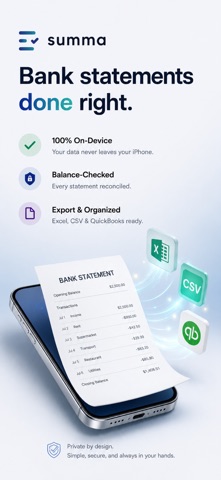
Turn any PDF bank statement into a clean Excel or CSV file — right on your iPhone. No bank login, no cloud, no account. summa reads the statement on-device, cross-checks every balance, and hands you structured, reconciled data that's ready for taxes, bookkeeping and expenses. WHY SUMMA - On-device only. Your statements never leave your iPhone. No server, no upload — unlike web tools that make you upload your bank data. - Balance-checked. summa reconciles every statement against its opening and closing balance and flags any row that doesn't add up. Nothing is shown as clean unless the numbers reconcile. - Real spreadsheets. Export to Excel (.xlsx) or CSV — including Excel (German), US/International, and a 3-column layout for QuickBooks. - Import your way. A PDF, a camera scan, or a photo of a paper statement. - Categorised. Transactions are sorted into categories with a monthly summary. HOW IT WORKS 1. Import a PDF statement, scan it, or pick a photo. 2. summa parses it on-device and checks the balance. 3. Review any flagged rows, then export to Excel or CSV. Works best with bank and checking-account statements that list your transactions. FREE AND PRO summa converts one statement per month for free. summa Pro unlocks unlimited statements as a one-time Lifetime purchase or a yearly subscription. The balance check, all export formats and categories are included at every tier. PAYMENT, RENEWALS, TERMS AND PRIVACY summa Pro (Yearly) is an auto-renewable subscription billed to your Apple ID at confirmation of purchase. It renews automatically each year at the same price unless auto-renew is turned off at least 24 hours before the current period ends. Manage or cancel anytime in iPhone Settings, Apple ID, Subscriptions. summa Pro (Lifetime) is a one-time purchase — no renewals, no recurring charges. Terms of Use (EULA): https://www.apple.com/legal/internet-services/itunes/dev/stdeula/ Privacy Policy: https://zllhff.github.io/summa/privacy.html
Latest release
What’s New
You can now tell me how summa is working for you — and rating takes just a tap.
Audience growth
Ratings growth
Baseline captured. Growth appears after the crawler observes a changed rating count.
Momentum comes from crawler snapshots for the tracked storefront. “Viral growth signal” means unusually fast recent rating gains; it is an indicator, not download data.
Price tracking
Price intelligence
First snapshot captured. The trend line starts after the next crawler price observation.
- First observed Aug 21, 2026 · 2:51 AM Free
Screenshots