About this app
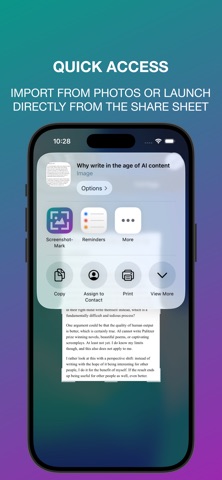
ScreenshotMark turns screenshots into beautiful visuals, to stand out in social media, presentations, blog posts, and articles. It only takes a few taps: simply import a screenshot or an image from Photos, and apply your preferred style. You can also launch ScreenshotMark directly when sharing an image. Editor features: - Choose a background from 8 gradient presets; - Pick the aspect ratio that fits best for each social network; - Fine-tune your image with rounded corners, shadow, and padding settings; - Cover private details of your image.
Latest release
What’s New
Cover what's private! ScreenshotMark finds the words in your screenshot, you can cover the sensitive ones with a tap, or by drawing a filled shape over it. Text recognition runs on your device. Draw shape update: added the option to fill rectangles and circles.
Audience growth
Ratings growth
Baseline captured. Growth appears after the crawler observes a changed rating count.
Momentum comes from crawler snapshots for the tracked storefront. “Viral growth signal” means unusually fast recent rating gains; it is an indicator, not download data.
Price tracking
Price intelligence
First snapshot captured. The trend line starts after the next crawler price observation.
- First observed Sep 8, 2026 · 7:28 AM Free
Screenshots