About this app
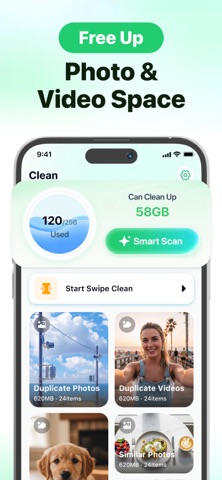
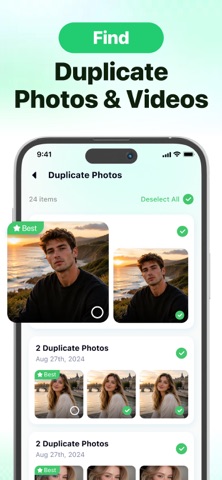
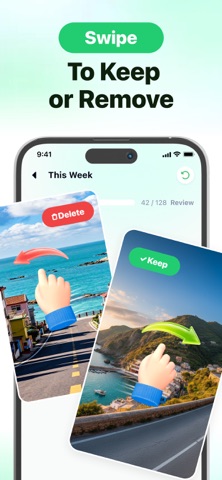
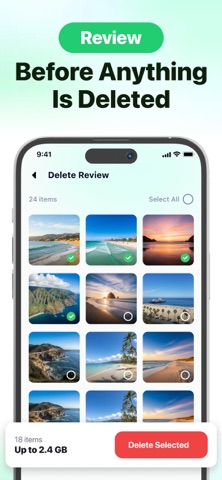
Clear photo clutter and reclaim iPhone storage—without giving up control. Gallery Slim finds duplicate photos, similar shots, screenshots, screen recordings, and large videos. Nothing is deleted until you review and confirm. CORE TOOLS 01 — Smart Clean Find duplicate and similar photos, screenshots, and screen recordings. Keep the best and remove the extras. 02 — Smart Scan See what is using your photo library storage and estimate how much space you can reclaim. 03 — Swipe Cleanup Swipe right to keep and left to remove. 04 — Large Video Tools Find storage-heavy videos and compress selected ones. See the original and estimated compressed size first. 05 — Live Photo to Still Keep the picture without the extra motion. 06 — Final Review Check selected items, change your choices, and confirm when ready. Gallery Slim does not collect your data. Download Gallery Slim and make room for more. SUBSCRIPTION INFORMATION We offer a 3-day free trial. After the trial, the subscription renews automatically at US$9.99 per week unless canceled at least 24 hours before the trial or current billing period ends. Your Apple Account is charged when the trial ends and at each renewal. Manage or cancel in your Apple Account settings. Privacy Policy: https://knappgl98.com/legal-privacy.html Terms of Service: https://knappgl98.com/terms-of-service.html
Latest release
What’s New
Cleanup now feels smoother from start to finish. We improved scanning and swipe responsiveness, refined the review flow, and fixed minor issues for a faster, more reliable experience.
Audience growth
Ratings growth
Baseline captured. Growth appears after the crawler observes a changed rating count.
Momentum comes from crawler snapshots for the tracked storefront. “Viral growth signal” means unusually fast recent rating gains; it is an indicator, not download data.
Price tracking
Price intelligence
First snapshot captured. The trend line starts after the next crawler price observation.
- First observed Sep 8, 2026 · 5:41 PM Free
Screenshots