About this app
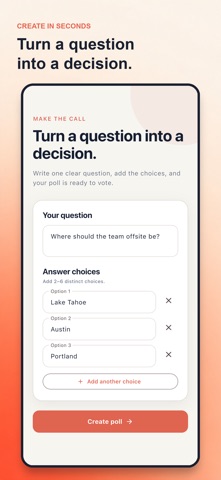
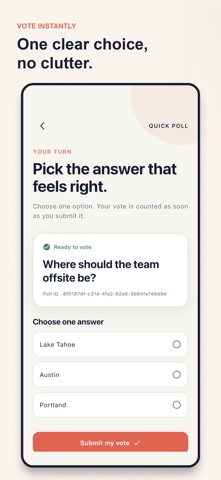
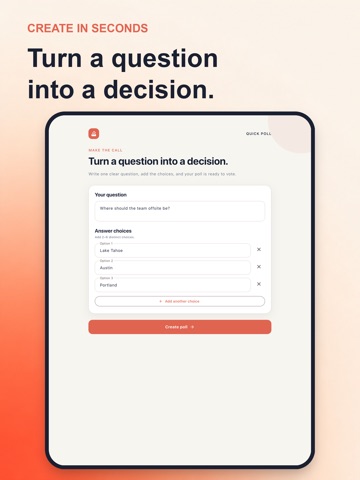
Quick Poll helps you turn one question into a clear choice. Write a question, add 2 to 6 answers, cast a vote, and see the counts and percentages. ASK, VOTE, DECIDE - Create a poll for an everyday choice, such as a meeting time or a meal. - Choose one answer and submit your vote. - See the total votes, each answer’s count, and its percentage. - Tap Refresh results to fetch the latest counts. - Use the same focused flow on iPhone and iPad, in light or dark appearance. HOW IT WORKS 1. Enter your question and at least two answer choices. 2. Tap Create poll. 3. Select an answer and tap Submit my vote. 4. Read the results, refresh them, or create another poll. An internet connection is required to create polls, submit votes, and refresh results. Quick Poll does not identify voters and is not intended for secure or verified elections. PRIVACY No account, ads, tracking, or advertising identifiers. The service stores the poll questions, answer choices, and votes needed to provide the app’s functionality. Terms of Use: https://www.apple.com/legal/internet-services/itunes/dev/stdeula/ Privacy Policy: https://api.quickpoll.gowalk.com/privacy
Audience growth
Ratings growth
Baseline captured. Growth appears after the crawler observes a changed rating count.
Momentum comes from crawler snapshots for the tracked storefront. “Viral growth signal” means unusually fast recent rating gains; it is an indicator, not download data.
Price tracking
Price intelligence
First snapshot captured. The trend line starts after the next crawler price observation.
- First observed Oct 10, 2026 · 3:29 PM Free
Screenshots