About this app
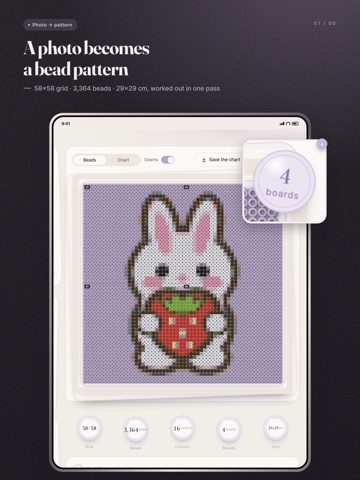
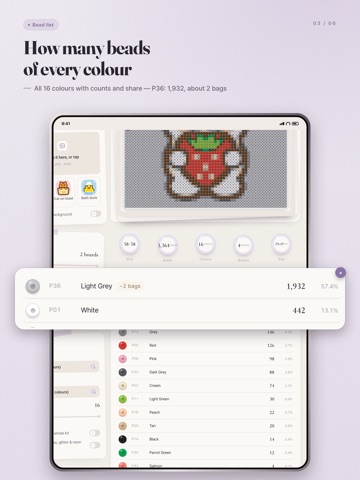
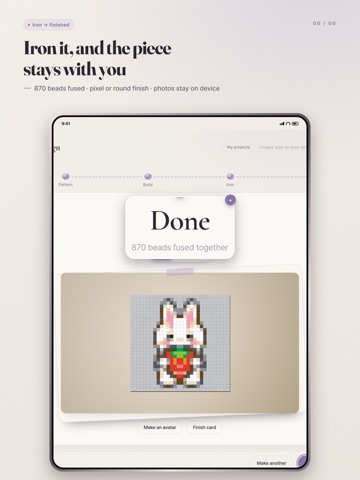
You already picked the photo. Turning it into a pattern was the hard part. pindou turns a photo into a fuse bead pattern. Colors are matched in a perceptual color space, so a small board still looks like your photo instead of a blob of color. Photo to pattern • Limit the palette to the set you actually own • Cap the number of colors • Optional error diffusion (dithering) • Drop a white background Real 29×29 pegboards The pattern is split along standard square boards, with seams marked and a suggested assembly order. You know how many boards it takes before you start. A bead count you can shop with Every color code with the number of beads it needs. Codes that are easy to mix up are flagged. Place beads in the app A transparent pegboard sits over the pattern. Drag or tap to place a bead. Tweezers, undo, and multiple boards. Then iron Lay down the ironing paper and move the iron with your finger. Beads melt and join. Stay too long and they scorch. Keep it Save to Photos, share it, or leave it on the shelf. Finished pieces collect in your gallery. Color charts Perler, Hama, Artkal. Photos are processed on your device and never uploaded. No account, no ads, no subscription, and nothing to buy inside.
Audience growth
Ratings growth
Baseline captured. Growth appears after the crawler observes a changed rating count.
Momentum comes from crawler snapshots for the tracked storefront. “Viral growth signal” means unusually fast recent rating gains; it is an indicator, not download data.
Price tracking
Price intelligence
First snapshot captured. The trend line starts after the next crawler price observation.
- First observed Oct 6, 2026 · 2:11 AM Free
Screenshots