About this app
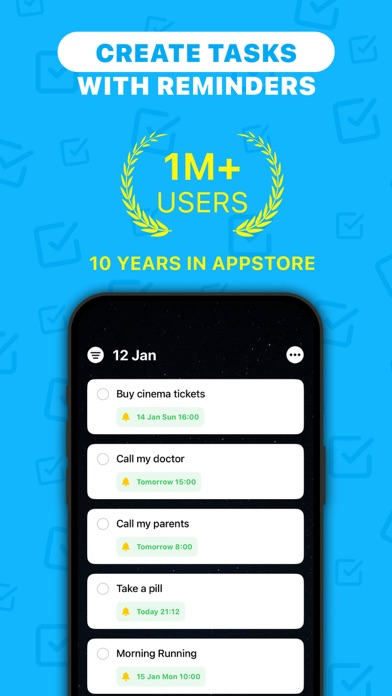
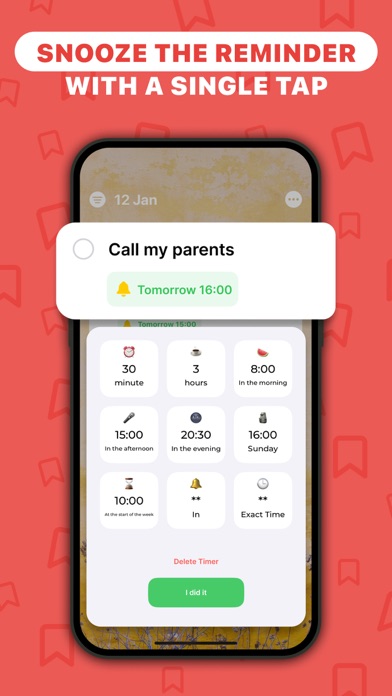
10 years on the App Store Over 1 million users worldwide I tried out A LOT of reminder apps (over 100) and none fully met my needs. So, I decided to learn programming and create the perfect app for myself. 'If you want something done well, do it yourself.' — Ferdinand Porsche The key thing: with ListBox, you'll really start getting things done. Why? The app won't let you ignore notifications, and when you notice one, it suggests a quick action (check out the screenshots). In ListBox, you'll find: - Customizable task timers, like: 'Remind in 2 hours', 'In 30 minutes', 'At 20:30 tonight' (adjustable), 'In the morning', 'At the start of the week', 'End of the month', etc. - Recurring tasks. For example, set a reminder to 'Take vitamins' at 10:30 on Mon., Wed., Fri. or 'Change bed linen' every week - The fastest reminder adding in the industry - When a task comes up, you can postpone it with just one tap (see screenshots) - Add tasks by voice, including setting the time. You can say: 'Remind me to call Dima at 8 PM' - Quickly add the last photo from your gallery, handy for when you take a screenshot and want to set a reminder about it - Insert text from the clipboard with one button - Select a contact from your phone book with one tap, so you don't forget to call - Create different task lists, like: Ideas, Shopping, Movies, etc. - Customizable appearance, choose a photo or color for the background - Video tutorials - definitely watch these to make using the app easier With the 'Ask a Question' feature in settings, you can send me your ideas or report bugs. I respond to all messages. Thanks for reading this far, have a great day :) If you decide to use the Premium features (not mandatory), the payment will be charged to your iTunes account. You can cancel the subscription in your Apple account settings at any time after purchase. Privacy policy: https://ListboxApp.com/privacy-policy
Latest release
What’s New
Hello! In this version, I hope I’ve fixed the precise date and time selection. • In Settings — Home Screen, you can now remove the circle on the left side of tasks. • In Settings — Customize Timers, you can now change the text of the "I did it" button. For example, women can set it to "I did it" or whatever you prefer. • Now, if you press and hold the ListBox icon, you can quickly add a task and change the app icon. • Added many new icons, hoping everyone finds something they like. • Fixed a bug with large tasks (previously, long text wouldn’t scroll). • Made task addition smoother and faster. • Fixed errors. Thank you for using ListBox :) You can use the “Ask a Question” option in settings to send me your ideas or report any issues you find. I respond to all messages. Have a great day!
Audience growth
Ratings growth
Baseline captured. Growth appears after the crawler observes a changed rating count.
Momentum comes from crawler snapshots for the tracked storefront. “Viral growth signal” means unusually fast recent rating gains; it is an indicator, not download data.
Price tracking
Price intelligence
- First observed Aug 21, 2026 · 11:27 AM Free
Screenshots