About this app
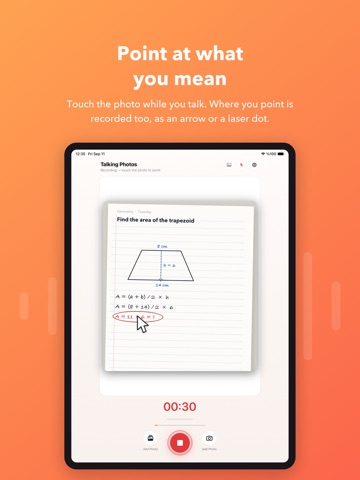
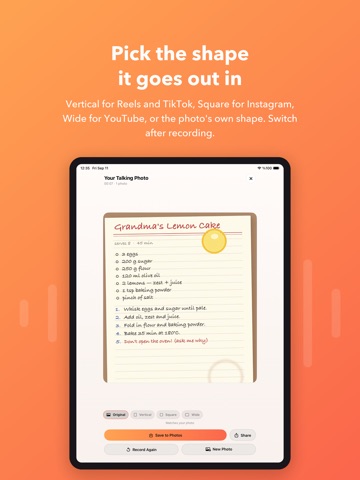
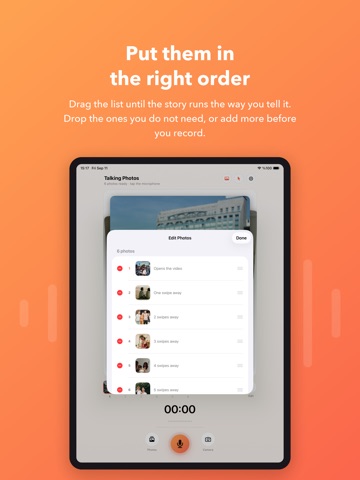
Some things are easier to say than to type. Talking Photos lets you record your voice over a photo and turn the two into a video — one you can send to anyone, on any app, without them needing this one. HOW IT WORKS 1. Pick a photo from your library, or take a new one. 2. Hold the record button and talk. 3. Save the video to Photos, or share it straight from the app. That is the whole app. No timeline, no layers, no export settings to guess at. WHILE YOU ARE RECORDING Change the photo without stopping. Tap Add Photo mid-sentence and keep talking — the video cuts to the new picture exactly where you changed it. Useful for walking someone through several pages, angles, or steps in one take. Point at what you mean. Touch the photo while you speak and a pointer appears under your finger; lift your finger and it disappears. Wherever you pointed is recorded into the video, so the person watching sees the same thing you were looking at. No button to arm, nothing to set up. Record for up to ten minutes. WHEN YOU ARE DONE Choose the shape of the video: Original to match your photo, Vertical 9:16 for Reels, Stories and TikTok, Square 1:1 for the Instagram feed, or Wide 16:9 for YouTube and presentations. Changed your mind? Switch shapes and the video is rebuilt from the same recording. You never have to record it again. The result is Full HD and a plain MP4 — H.264 video, AAC audio — which is what messaging and social apps expect. It plays where you send it. MADE FOR Explaining a diagram, a form, or a page of homework. Sending a greeting that sounds like you instead of reading like you. Showing a colleague what you found, with your finger on the part that matters. Telling a child a story over a picture, and keeping it. Handing over a photo of a problem with the explanation already attached. And nothing is collected. Your photos and recordings stay on your device — the app has no servers, makes no network requests, and contains no analytics or tracking of any kind. The full privacy policy is inside the app, under Settings. ALSO IN THIS VERSION Light, dark, or follow the system — chosen in Settings, remembered between launches. A visual How to Use guide, with every step drawn rather than described. Built for iPhone and iPad. Clear explanations of why the microphone, camera and photo permissions are asked for, so iOS can actually grant them.
Latest release
What’s New
New in 2.0: several photos in one recording, a pointer for what you are explaining, and a choice of video shape.
Audience growth
Ratings growth
Baseline captured. Growth appears after the crawler observes a changed rating count.
Momentum comes from crawler snapshots for the tracked storefront. “Viral growth signal” means unusually fast recent rating gains; it is an indicator, not download data.
Price tracking
Price intelligence
- First observed Sep 27, 2026 · 12:38 PM Free
Screenshots