About this app
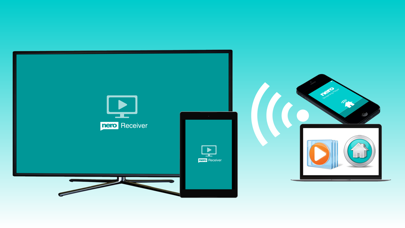
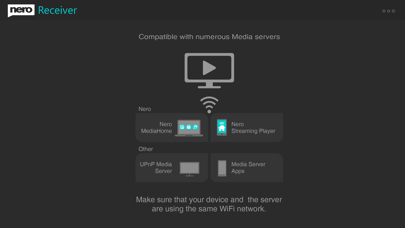
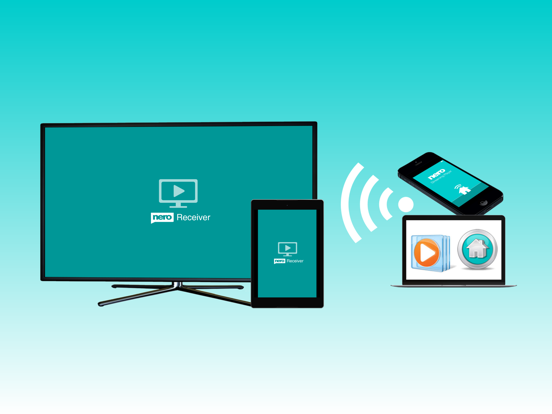
Stream videos, photos & music via your PC in your home network and play your media wirelessly on your mobile device with super easy to use Nero Receiver App. Also stream media files between different mobile devices within the same WiFi network – even platform independent. E.g. use Nero Streaming Player App on one mobile device as a wireless media controller and via Nero Receiver App let your second mobile device become your wireless media player. Nero Receiver App is also compatible with numerous other UPnP / DLNA media servers and media player apps. * Stream videos, photos & music to your tablet in the garden! * Listen to PC music playlists on your smartphone in the bedroom! * Friends came over? Show some photos & slideshows sitting on the couch! Nero Receiver provides you with an easy and high quality solution! - Play photos, videos & music stored on the PC to your mobile device - Stream music and music playlists - Stream photos and slideshows - Cast single videos or several videos in a row - Play any media file from Media Player® to your tablet or mobile - Cast media files using any UPnP / DLNA media servers - Pause or stop media playback and skip titles using your smartphone Special features in combination with Nero MediaHome®: - AI Tags: automatic categorize your photos by content - Transcoding: always stream in device-compatible format - Face Recognition: automatic categorization of your photo library by persons - Geotagging: sort photos by places you have visited - Themed Slideshows: stream slideshows with automatic intro/outro, transitions & music How to stream to Nero Receiver App via Nero MediaHome: 1. Open Nero MediaHome on your PC. 2. In the upper right corner you'll find a screen symbol as ‘Play To’ device selection window. 3. Select your tablet or smartphone from the list. 4. Select a video, photo, a slideshow, or a music playlist in Nero MediaHome. 5. Press play in Nero MediaHome & start enjoying your content around the house on your mobile device! For how to proceed with other UPNP / DLNA media servers check out Nero Know HowApp under FAQ 'Nero Receiver'. Please note: Your PC and mobile device need to be on the same WiFi. It is highly recommended to use only in private and secured wireless networks.
Latest release
What’s New
Fixed minor issues and improved performance.
Audience growth
Ratings growth
Baseline captured. Growth appears after the crawler observes a changed rating count.
Momentum comes from crawler snapshots for the tracked storefront. “Viral growth signal” means unusually fast recent rating gains; it is an indicator, not download data.
Price tracking
Price intelligence
First snapshot captured. The trend line starts after the next crawler price observation.
- First observed Aug 26, 2026 · 9:42 AM Free
Screenshots