About this app
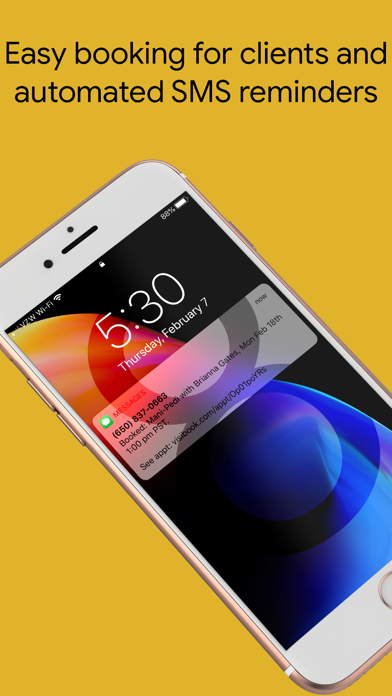
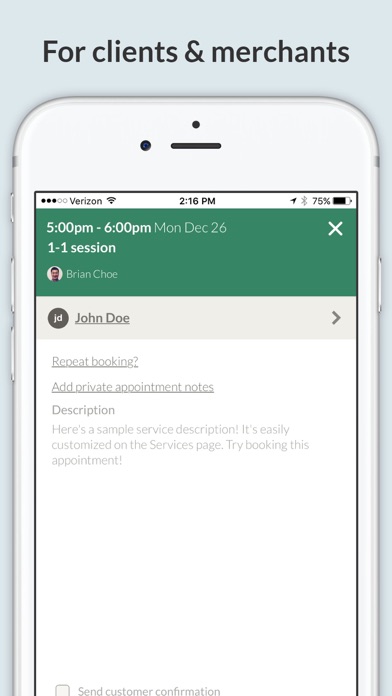
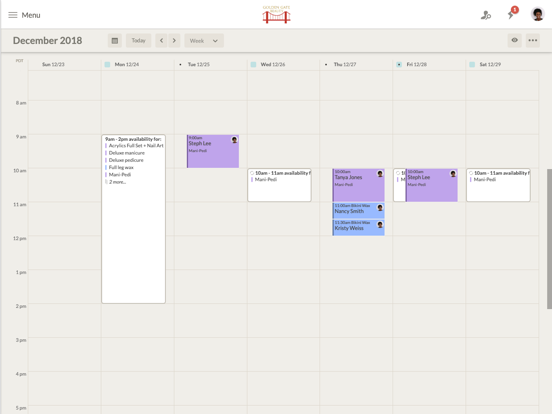
The easiest way to book client appointments and send automatic text (WhatsApp or SMS) message reminders. Manage your schedule anywhere: from the app or any browser. Customers can book you with ease using the app or your online calendar. • Easy booking and customer tracking - With a few taps, book and record customer appointments. You get an organized appointment history for each customer. • Reduce no-shows – After you book an appointment, confirmations and reminders automatically get sent. • Individual and class scheduling in three taps - select attendees. Visibook books and sends reminders. • Payments tool - accept payments (optional) as customers are scheduling appointments. • Client messaging and notes - message from the app. Keep private notes to remember birthdays, preferences, etc. • Simple set up – Takes 2 minutes to signup and start booking appointments. • Control your schedule – Easily change and tool with your schedule on the fly, no matter where you are. • Work around your personal calendar – Set up Google sync and never double-book yourself again. • Less email and hassle - Share your availability. Clients save you time and hassle by booking themselves. • Manage staff – Add employees to your calendar and they can be scheduling online instantly too. • Multi-platform tool - use the Visibook app on your phone and tablet. Or, use your desktop or phone browser anywhere. Everything stays in sync. Visibook can be used to book appointments for: • Acupuncture • Fitness training 1-1 sessions • Crossfit class scheduling and signups • Group scheduling and signups • Massage appointments • Music lessons • User research and interview signups • Therapy sessions • Volunteering sessions signups • Anytime you want to eliminate the hassle of scheduling lots of customers or clients
Latest release
What’s New
WhatsApp Texting: Added the ability to send appointment confirmations and reminders through WhatsApp for all users! US recipients can opt for SMS or WhatsApp texts, based on preference.
Audience growth
Ratings growth
Baseline captured. Growth appears after the crawler observes a changed rating count.
Momentum comes from crawler snapshots for the tracked storefront. “Viral growth signal” means unusually fast recent rating gains; it is an indicator, not download data.
Price tracking
Price intelligence
First snapshot captured. The trend line starts after the next crawler price observation.
- First observed Aug 27, 2026 · 1:40 AM Free
Screenshots