About this app
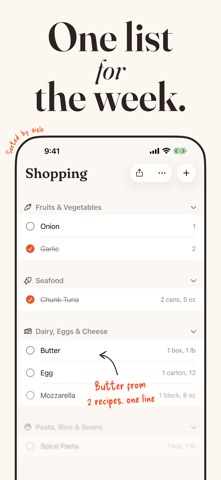
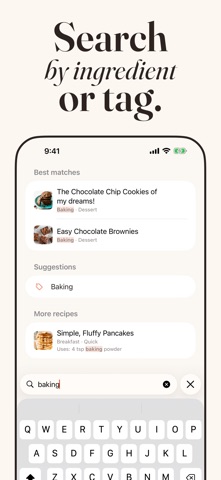
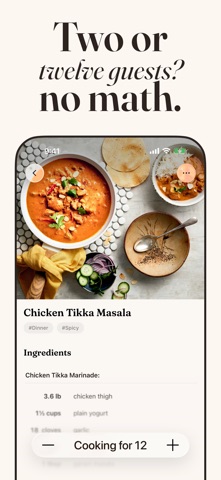
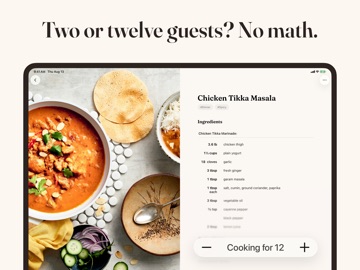
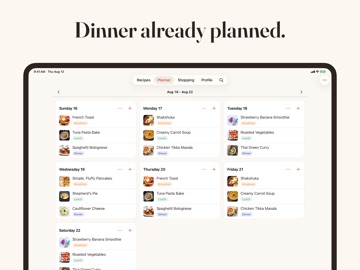
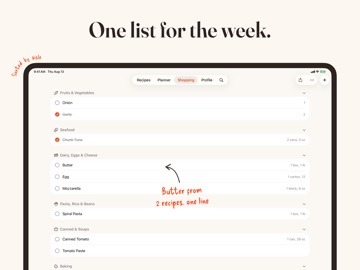
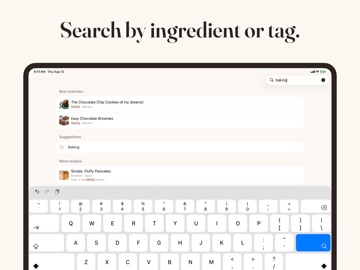
Save any recipe — from a website, Instagram, TikTok, Pinterest, a cookbook page, a photo, or your own handwriting. Then let AI plan your week, turn it into one smart shopping list, and walk you through cooking step by step. WHY ANYRECIPE AnyRecipe is not a recipe content app. It's your own cookbook — everything you've saved, from anywhere, organized your way. No feed, no endless scrolling. IMPORT FROM ANYWHERE • Any recipe website — share it straight from Safari • Instagram, TikTok, Facebook, YouTube Shorts and Pinterest • Photograph a cookbook page, or import from your photo library • Handwritten cards and family notes — AI reads the handwriting • Scan several pages at once — multiple recipes are split and saved automatically • Or write your own Social posts only work when the creator includes the recipe in the caption. When they don't, there's nothing to read — that's the post's limit, not the app's. AI MEAL PLANNING Plan this week, next week, or several weeks ahead. Add recipes yourself, or press one button and let AI build the whole week from your own library — with enough variety that you're not eating the same thing two days running. ONE SMART SHOPPING LIST Add a recipe, your whole week, or your own items. Onions from three different recipes become one line with the quantities added up. And when three recipes need 100g, 110g and 250g of flour, we tell you to buy the 1kg bag — not 460 grams. COOKING MODE One step at a time, full screen. Tap any ingredient mentioned in a step to see how much you need, without leaving the page. Tap a time to start a timer. HANDS-FREE COOKING Turn it on inside Cooking Mode and just say "next step". Your hands stay in the food, your phone stays clean. English for now, more languages coming. COOKING FOR MORE Scale any recipe and every ingredient adjusts. Six guests instead of two, no mental arithmetic. ON ALL YOUR DEVICES Recipes sync between iPhone and iPad automatically through iCloud. Nothing to set up — and it's free, subscription or not. Download AnyRecipe and build the cookbook you've always wanted. By downloading and using this app, you agree to be bound by Apple’s standard End User License Agreement (EULA). https://www.apple.com/legal/internet-services/itunes/dev/stdeula/
Latest release
What’s New
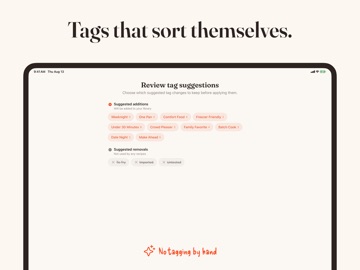
Cook from any recipe, in your own numbers. That is what 6.2 is about. Read it in your units Switch any recipe between US and metric with the new scales button, or set it once in Settings for every recipe. Cups of flour become the grams a scale actually shows, and a recipe that says 350°F reads 180°C in the steps too. Your choice sticks per recipe, so grandma's cake can stay in grams forever. Scale it in one tap Halve, double or triple a recipe with the new buttons above the ingredients. Every amount recalculates from the original, so going back is always exact. Translate it A recipe in another language now translates right on your iPhone. It is free, nothing leaves your device, it works offline once the language is downloaded, and the author's original is always one tap away. Smarter imports Recipes that never say how many they serve now arrive with a realistic serving count, read from their actual quantities. Fixes worth knowing about • Editing tags or notes no longer removes the recipe's photo. • Tags on recipes in a shared household library no longer disappear after a restart. • Shopping lists now combine amounts correctly in French, German, Dutch and Spanish.
Audience growth
Ratings growth
Baseline captured. Growth appears after the crawler observes a changed rating count.
Momentum comes from crawler snapshots for the tracked storefront. “Viral growth signal” means unusually fast recent rating gains; it is an indicator, not download data.
Price tracking
Price intelligence
First snapshot captured. The trend line starts after the next crawler price observation.
- First observed Aug 26, 2026 · 5:12 AM Free
Screenshots