About this app
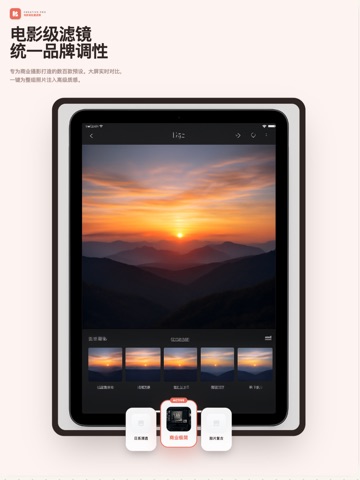
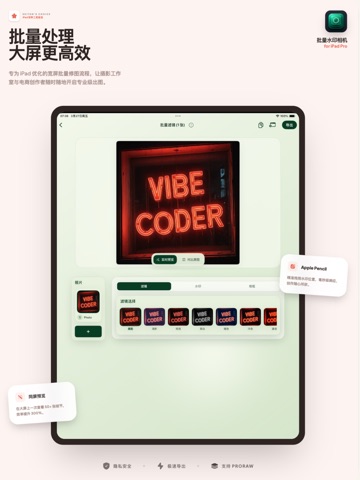
BatchMark is a photo tool that helps you make photos feel more complete and polished, faster. It brings together batch watermarks, camera info cards, Art Frames, and Color Walk cards, so you can organize a set of photos in one go. Batch Processing, Up to 100 Photos BatchMark Pro lets you process up to 100 photos at once. Add text watermarks, logo watermarks, or tiled anti-theft watermarks in batches. Fully Customizable Watermarks Adjust position, size, opacity, font, and spacing. Save frequently used settings as templates and apply them again anytime. Camera Info Cards Automatically read camera model, aperture, shutter speed, ISO, and other photo details to create clean camera info cards. Art Frames Give your favorite photos gallery-style frames, mattes, and layouts, so they feel more like a finished piece worth keeping. Color Walk Cards Choose a photo, extract its colors, and turn them into a shareable color card. Color Walk also supports Live Photos, so the finished result can keep its motion. Batch Filters Apply the same filter to a selection of photos, then export in full resolution. Photos Stay on Your Device Photo editing and rendering happen on your device. Your photos are not uploaded to BatchMark. No ads. How It Works 1. Select your photos 2. Add a watermark, camera info card, filter, or layout 3. Export and you are done Made For Photographers, online sellers, content creators, and anyone who wants a faster way to finish their photos. Subscriptions & Payments BatchMark offers auto-renewable subscriptions and a lifetime purchase. Available plans and prices are shown before purchase and may vary by country or region. Payment will be charged to your Apple ID account at confirmation of purchase. Subscriptions renew automatically unless cancelled at least 24 hours before the end of the current period. You can manage or cancel subscriptions in your App Store account settings. Terms of Use (EULA): https://www.apple.com/legal/internet-services/itunes/dev/stdeula/
Latest release
What’s New
Fixed known issues
Audience growth
Ratings growth
Baseline captured. Growth appears after the crawler observes a changed rating count.
Momentum comes from crawler snapshots for the tracked storefront. “Viral growth signal” means unusually fast recent rating gains; it is an indicator, not download data.
Price tracking
Price intelligence
First snapshot captured. The trend line starts after the next crawler price observation.
- First observed Aug 29, 2026 · 1:12 AM Free
Screenshots