About this app
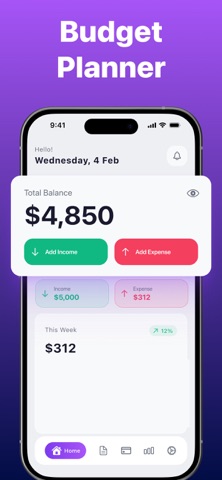
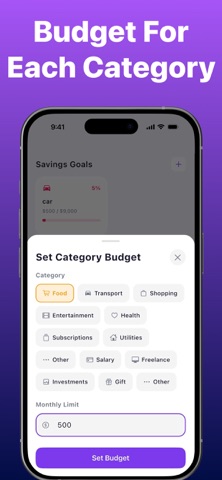
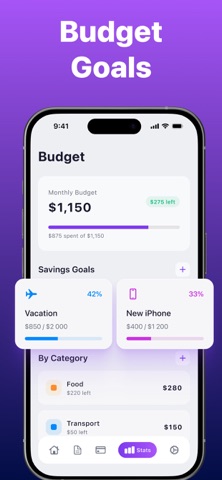
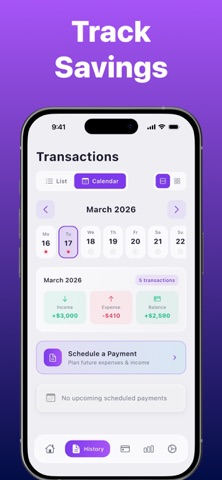
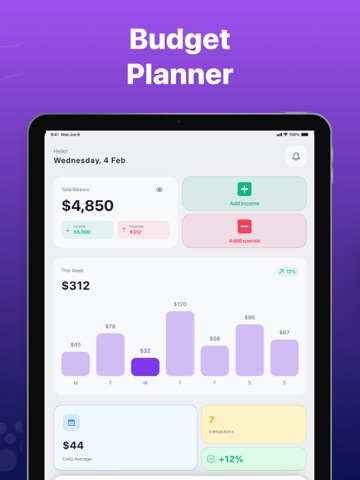
Our app is an easy-to-use budgeting and expense tracking tool designed to help you manage your finances, monitor spending, and stay organized with your daily budget. Quickly add income and expenses, organize transactions into categories, and track your financial activity with simple and intuitive management tools. Set spending limits, monitor recurring payments, and stay informed about upcoming expenses with helpful reminders and summaries. Visual charts and reports make it easier to understand your spending habits, track financial goals, and review your progress over time. Built-in search and filtering tools help you quickly find transactions, while import and export features provide convenient access to your financial data. Key Features: - Fast income and expense tracking - Budget categories and spending limits - Financial charts and spending insights - Payment reminders and recurring expense tracking - Transaction search and filtering tools - Import and export functionality - Goal tracking and financial organization - Clean and intuitive user interface Free Features Include: - Basic budgeting and expense tracking - Limited transaction entries - Weekly financial summaries - Essential budget management tools Premium Features Unlock: - Unlimited transactions - Full access to all budgeting categories - Detailed monthly and yearly reports - Advanced financial insights and analytics - Extended goal tracking features Whether you’re managing personal finances, tracking subscriptions, or organizing your monthly budget, the app provides simple and convenient tools to help you stay in control of your money. This application offers auto-renewable subscriptions and in-app purchases: Weekly — $4.99 Monthly — $12.99 Yearly — $39.99 Lifetime — $59.99 Terms of Use Link: https://www.apple.com/legal/internet-services/itunes/dev/stdeula/ Privacy Policy: https://docs.google.com/document/d/1HYRAC5S3ZJxuzH6c86rIjXTCYbeXKM3783QKDritg9s/edit?usp=sharing
Latest release
What’s New
Optimizations and enhancements
Audience growth
Ratings growth
Baseline captured. Growth appears after the crawler observes a changed rating count.
Momentum comes from crawler snapshots for the tracked storefront. “Viral growth signal” means unusually fast recent rating gains; it is an indicator, not download data.
Price tracking
Price intelligence
First snapshot captured. The trend line starts after the next crawler price observation.
- First observed Sep 14, 2026 · 6:48 AM Free
Screenshots