About this app
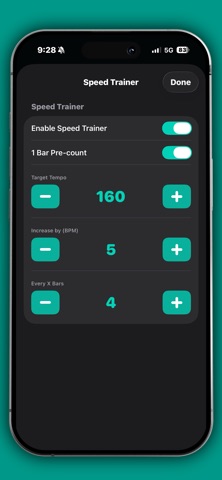
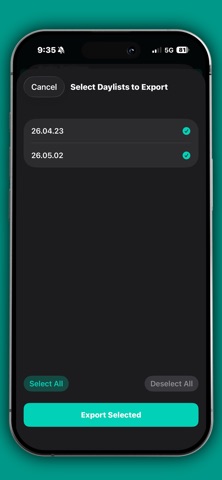
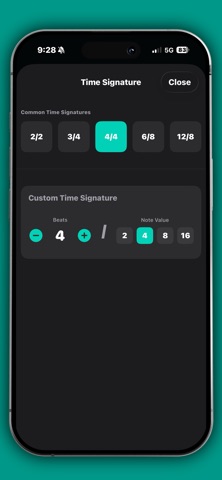
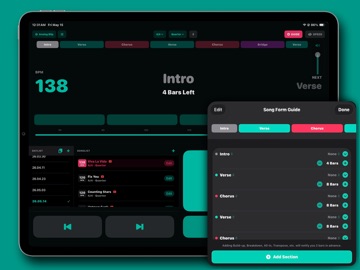
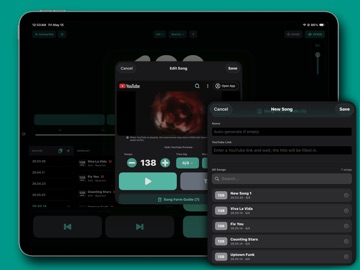
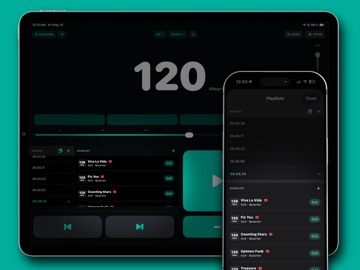
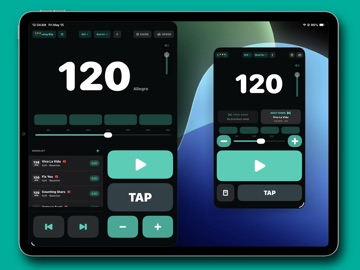
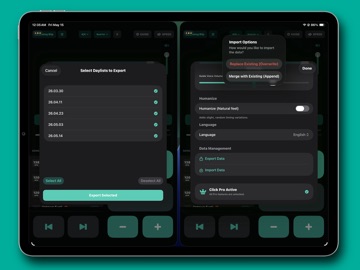
Click Me goes beyond keeping time. It brings your song settings, set order, song forms, and performance cues together, so you can stay focused from individual practice to rehearsals and live shows. SET UP EVERY SONG Save BPM, time signature, rhythm, click sound, and a YouTube link for each song. Enter the tempo directly, use Tap Tempo, or detect BPM while playing a YouTube reference. ORGANIZE WITH DAYLISTS Arrange songs in performance, rehearsal, or worship order. Paste song titles and YouTube links to build a Daylist quickly, then keep your library in sync across iPhone and iPad with iCloud. BUILD SONG FORMS AND CUES Map sections such as Intro, Verse, Chorus, Bridge, and Outro by bar. Add cues including Build-up, Breakdown, All-in, Count, and Transpose, plus bar-level tempo and meter changes, to see what comes next while you play. PRACTICE MORE EFFECTIVELY Speed Trainer raises the tempo automatically at intervals you choose, helping you work toward your target BPM step by step. Multiple click sounds, Humanize, screen flash, and keyboard shortcuts are also supported. SHARE AND CONNECT Share polished Daylists as images or PDFs. Back up and restore your data, import a setlist image from Sheet, or send a Click Me setlist to Sheet and continue preparing your charts. KEY FEATURES • Accurate metronome playback • Direct BPM entry and Tap Tempo • Multiple time signatures and rhythms • Per-song settings and YouTube links • Automatic BPM detection • Daylist and song library management • Song Form Guide and performance cues • Bar-level tempo and meter changes • Speed Trainer • Multiple click sounds and Humanize • iCloud sync between iPhone and iPad • Image, PDF, and data import/export • Setlist connection with Sheet Some features require Click Me Pro.
Latest release
What’s New
fix error
Audience growth
Ratings growth
Baseline captured. Growth appears after the crawler observes a changed rating count.
Momentum comes from crawler snapshots for the tracked storefront. “Viral growth signal” means unusually fast recent rating gains; it is an indicator, not download data.
Price tracking
Price intelligence
First snapshot captured. The trend line starts after the next crawler price observation.
- First observed Aug 22, 2026 · 3:21 PM Free
Screenshots