About this app
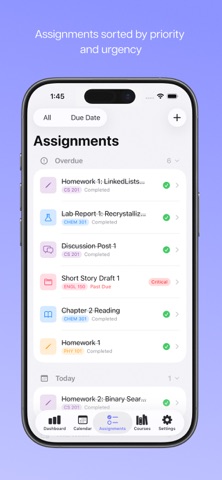
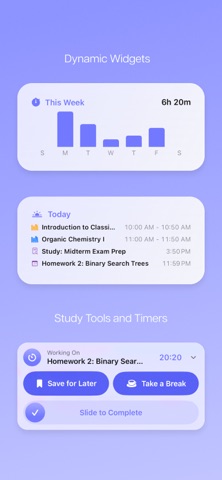
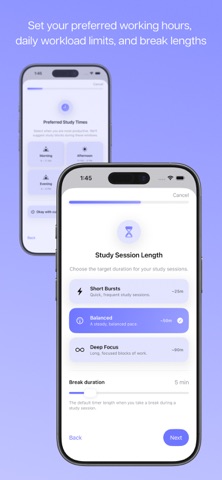
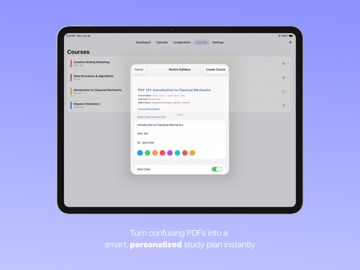
Transform your syllabus into a personalized, stress-free study plan. CourseDeck is the ultimate academic planner designed for high school and college students who want to master their workload, beat procrastination, and stay organized without spending hours setting up calendars. Simply upload your syllabus PDF, and let CourseDeck do the heavy lifting. In seconds, your entire semester—assignments, exams, weighting, and class schedules—is mapped out and scheduled to fit your personal workflow. *** WHY STUDENTS LOVE COURSEDECK: • SMART SYLLABUS SCANNER Forget manual entry. Upload any course syllabus (PDF) and our program instantly extracts assignment due dates, exam times, grading categories, and weight percentages. Review the auto-detected tasks, tap "Create Course," and watch your semester plan itself. • INTENTIONAL STUDY SUGGESTIONS We don't just tell you when things are due; we suggest exactly when to start working. CourseDeck maps smart, schedule-aware study sessions directly onto your calendar, prioritizing high-impact tasks. • CUSTOM WORK PREFERENCES Configure how you work best. Choose your preferred study windows (Morning, Afternoon, Evening, Night) and session lengths (Short Bursts, Balanced, or Deep Focus). CourseDeck automatically slots study sessions in the natural gaps between your classes and respects your quiet hours. • WORKLOAD DASHBOARD A premium, clean home view showing today’s classes, upcoming due dates, and recommended work sessions. See your remaining workload at a glance and track what requires your attention. • LIVE ACTIVITIES & TIMERS Stay in the zone. Use built-in focus timers with interactive Live Activities that persist on your Lock Screen so you can track your progress in real time. • INTEGRATED CALENDAR & WIDGETS Sync with your external calendar feeds and use beautiful iOS Home Screen widgets to see what's due and when to study without opening the app. *** GO PRO FOR ACADEMIC SUCCESS Get started with CourseDeck for free to manually organize classes and tasks. Upgrade to CourseDeck Pro to unlock: - Unlimited AI Syllabus Parsing & PDF scanning - Daily preview - Smart work-time suggestions - Assignment Queueing - Pomodoro mode - Home Screen widgets Ditch the paper planners and messy calendar templates. Download CourseDeck today and automate your semester! Terms of Use: https://www.apple.com/legal/internet-services/itunes/dev/stdeula/ Privacy Policy: https://coursedeck.net/privacy-policy
Latest release
What’s New
- Paywall improvements
Audience growth
Ratings growth
Baseline captured. Growth appears after the crawler observes a changed rating count.
Momentum comes from crawler snapshots for the tracked storefront. “Viral growth signal” means unusually fast recent rating gains; it is an indicator, not download data.
Price tracking
Price intelligence
First snapshot captured. The trend line starts after the next crawler price observation.
- First observed Sep 1, 2026 · 1:32 PM Free
Screenshots