About this app
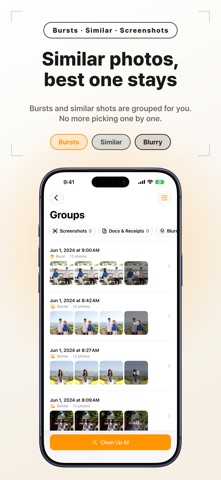
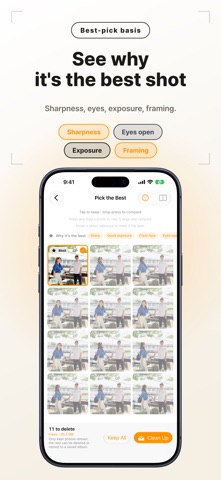
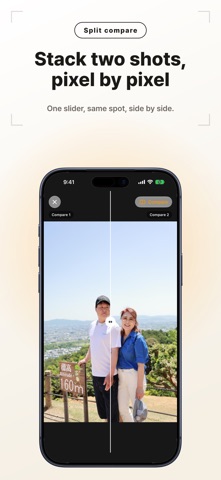
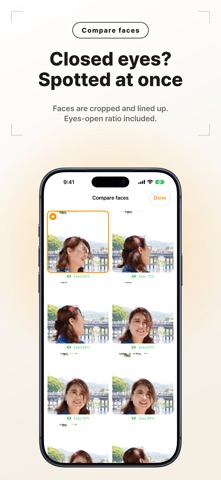
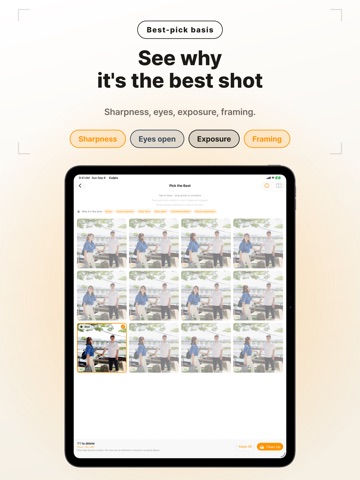
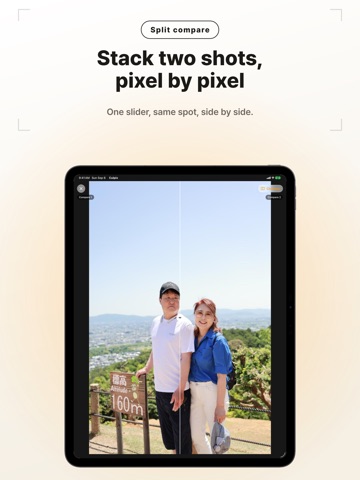
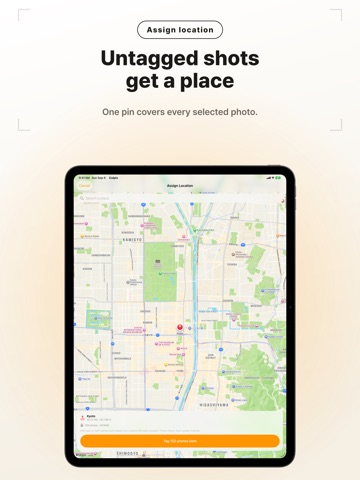
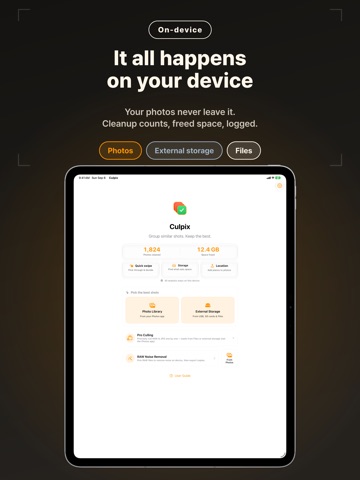
Duplicate photos and bursts eating your storage? Culpix is now free to download. It groups duplicates, bursts, and screenshots, picks the best shot, and lets you delete the rest to free up space. 100% on device, no ads, no tracking. A one-time purchase unlocks everything, no subscription. ■ Automatic grouping On-device AI gathers bursts and look-alikes for you. Screenshots, documents, and receipts are sorted out too, so you can declutter your gallery in one pass. ■ AI best pick Culpix weighs blur, faces, framing, and open eyes to suggest the best shot in each group—and shows you why it stood out, so you can trust the pick at a glance. The final call is always yours, and you can compare two photos up close with a draggable split. ■ Face & expression compare From a burst or a group of similar shots, Culpix crops the face out of every frame and lines them up side by side, so you can spot open vs. closed eyes and the best expression at a glance. The AI's pick is highlighted to get you started. All on device with Apple Vision. ■ Clean up with confidence Deleted photos go to Recently Deleted, so they stay recoverable, and your Favorites and protected albums are automatically excluded. Had second thoughts? Undo a cleanup right after you make it. ■ See what's eating your space The storage analyzer breaks down what's taking up the most room—large videos, bursts, and screenshots—with sizes and counts, so you know where to start. Select what you don't need and delete to reclaim space. Removed items go to Recently Deleted, so you can always get them back. ■ A lighter library, for good See how much you've cleared right on the home screen. Culpix remembers what it analyzed, so a second pass is much faster—and you can filter groups by type or size, or get a gentle weekly nudge to tidy up. You can even start a cleanup with Siri or Shortcuts. ■ External storage & RAW Tidy photos on USB or SD drives, and handle RAW+JPG as a single pair. You can also assign a GPS location to your photos. ■ Truly private All analysis runs on device. No servers, no ads, no tracking—your photos never leave your device. ■ Pro Culling on iPad Sorting a big shoot? Open a RAW/JPG folder and cull at speed: pick, hold, or reject with one key, rate with stars, and tag with colors, with a live RGB histogram and EXIF right in the sidebar. The viewer reshapes itself around each shot—portrait or landscape—so the photo always gets the most room, and the freed-up space becomes a large contact sheet. On-device AI pre-marks the best frame in each burst. Export the keepers to a folder—copy or move, RAW+JPG kept together, with optional star-grade renaming. ■ Your ratings, ready for the pros Star ratings and color labels export to XMP, a sidecar file that sits alongside your RAW. Your picks open straight in Lightroom, Capture One, and other tools—no re-rating, no lock-in.
Latest release
What’s New
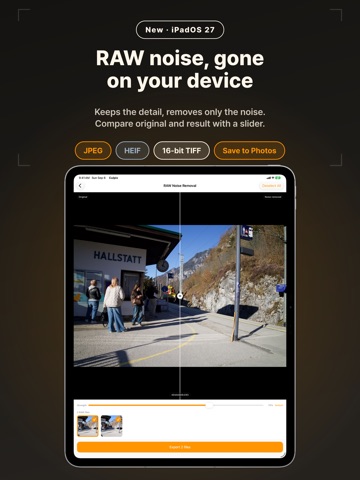
New on iPad: two-column home screen and drag and drop from the Files app • In landscape or a wide window, the home screen shows two columns: “Pick the best shots” on the left, Pro Culling and RAW Noise Removal on the right. • In portrait and Slide Over, the home screen keeps one column. • Drag a folder from the Files app onto “Pick the best shots” to group its photos, or onto Pro Culling to start culling it. • Drag RAW files from the Files app onto RAW Noise Removal to open them right away. Plus, opening a Culpix link, such as the one in our App Store event, takes you straight to RAW Noise Removal.
Audience growth
Ratings growth
Baseline captured. Growth appears after the crawler observes a changed rating count.
Momentum comes from crawler snapshots for the tracked storefront. “Viral growth signal” means unusually fast recent rating gains; it is an indicator, not download data.
Price tracking
Price intelligence
First snapshot captured. The trend line starts after the next crawler price observation.
- First observed Sep 16, 2026 · 1:49 AM Free
Screenshots