About this app
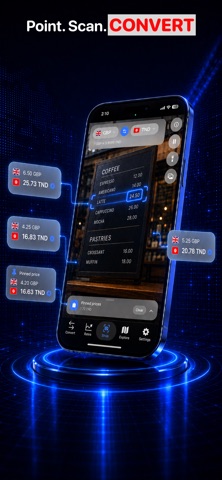
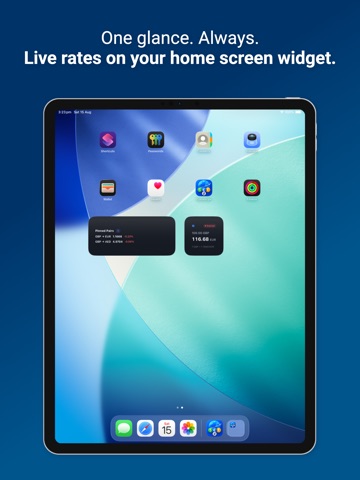
Stop guessing. Know the real rate — across every currency you use. Multi-Currency mode converts one amount into as many currencies as you need, with live mid-market rates for 170+ currencies — the real rate, not your bank's markup. Know when to act, and get alerted the moment your target is hit. Full description Stop guessing. Know the real rate — across every currency you use. Multi-Currency mode converts one amount into as many currencies as you need, with live mid-market rates for 170+ currencies — the real rate, not your bank's markup. Know when to act, and get alerted the moment your target is hit. THE REAL RATE, INSTANTLY Live mid-market rates for 170+ currencies. Type an amount, get your answer in under a second. No sign-up. No markup. MULTI-CURRENCY DASHBOARD Switch to Multi-Currency on the Convert tab. Start with GBP, USD, EUR, CHF, and JPY — then add, reorder, and set any currency as your base. Classic two-currency mode is still there when you want it. BUY NOW OR WAIT? Swipe from 1 day to 5 years of history. Plain-English insights tell you whether today's rate is worth acting on — no finance degree required. RATE ALERTS Set your target once. We notify you the moment your pair hits it. Stop checking every hour. FIND WHERE TO EXCHANGE Exchange offices, banks and ATMs near you, on a live map sorted by distance. SPLIT THE BILL Built-in tip calculator and bill splitter for up to 12 people. Per-person total instantly. WORKS OFFLINE Your last rates are cached — convert on a plane, underground, or with no signal. HOME SCREEN WIDGET Pin your pairs and see live rates at a glance. PREMIUM Live refreshes, unlimited pinned pairs, full historical charts, rate alerts and the nearby finder. Weekly, monthly or annual — cancel anytime. — Premium is an auto-renewable subscription. Payment is charged to your Apple ID at confirmation of purchase. It renews automatically unless cancelled at least 24 hours before the end of the current period; manage or cancel anytime in your App Store account settings. Privacy Policy: https://startech-digital.com/legal/privacy-policy Terms of Use: https://startech-digital.com/legal/terms-conditions EULA: https://startech-digital.com/legal/eula
Latest release
What’s New
Bug Fixes and improvement
Audience growth
Ratings growth
Baseline captured. Growth appears after the crawler observes a changed rating count.
Momentum comes from crawler snapshots for the tracked storefront. “Viral growth signal” means unusually fast recent rating gains; it is an indicator, not download data.
Price tracking
Price intelligence
First snapshot captured. The trend line starts after the next crawler price observation.
- First observed Sep 10, 2026 · 10:57 PM Free
Screenshots