About this app
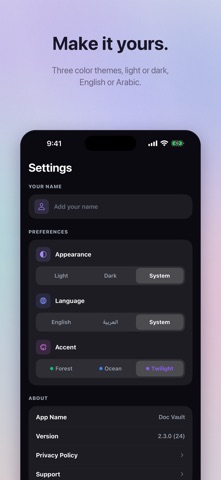
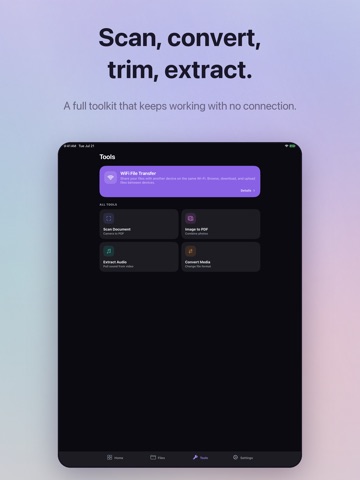
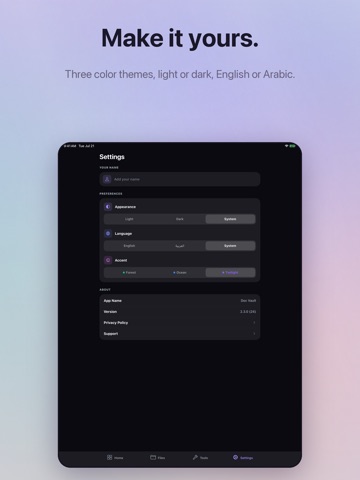
Doc Vault is a private, offline-first file manager that keeps everything on your device. No cloud, no accounts, no tracking. Your files never leave your phone. Import PDFs, documents, photos, videos, audio, and web links. Organize them into folders with custom colors and icons. Find anything instantly, even text inside PDFs, scanned documents, and photos. BUILT-IN TOOLS • Document Scanner: multi-page scans saved as images or PDF • Wi-Fi Transfer: move files wirelessly between your phone and computer • Image to PDF: combine photos into a single document • Extract Audio: pull the audio track from any video • Convert Media: HEIC to JPG, MOV to MP4, and more POWERFUL VIEWERS • PDFs, images (including HEIC and SVG), videos, audio, and 30+ text and code formats • Word, Excel, and PowerPoint preview • Background audio playback with lock screen controls • Fullscreen video and Picture-in-Picture • Inline image editor: crop, rotate, flip • Video and audio trimmer • Text and markdown editor SMART SEARCH Search filenames or the actual content of your files. Doc Vault indexes text inside PDFs, OCR from photos and scanned documents, and EXIF metadata. All on-device, so nothing is ever uploaded. FILE MANAGEMENT • Nested folders with custom colors and icons • Grid and list views, sort and filter • Multi-select to move, delete, zip, or share • Zip and unzip files and folders • Real thumbnails for images, videos, and PDFs • Browse by type: documents, images, video, audio • Export files and folders to your device or another app • Storage analyzer to see what's taking space • Recent files for quick access DESIGNED FOR EVERYONE • Full Arabic and English support • iPhone and iPad with landscape layouts • Light and dark mode with three color themes (Twilight, Ocean, Forest) • Share files into Doc Vault from any other app PRIVACY BY DEFAULT Doc Vault has no servers, no accounts, no analytics, and no network requests for your files. Everything runs on-device. That's the whole point.
Latest release
What’s New
A refreshed Files screen and easier organizing. - Real thumbnails for images, videos, and PDFs - Export files and folders to your device or another app - Import several files at once - Browse files by type and search from Home - New folder colors, icons, and sizes - Filter, sort, and long-press menus that follow your theme - Paste files from the clipboard, plus search history - Preview Word, Excel, and PowerPoint files in the app - Faster PDF viewer and a mini audio player
Audience growth
Ratings growth
Baseline captured. Growth appears after the crawler observes a changed rating count.
Momentum comes from crawler snapshots for the tracked storefront. “Viral growth signal” means unusually fast recent rating gains; it is an indicator, not download data.
Price tracking
Price intelligence
First snapshot captured. The trend line starts after the next crawler price observation.
- First observed Aug 23, 2026 · 2:11 AM Free
Screenshots