About this app
Ever realize at 11pm that something might be due tomorrow — but you're not sure, so you have to check Canvas, dig through your email, and open that 47-page syllabus PDF just to find out? Yeah. That's why we built DormWay. DormWay pulls everything together — your syllabi, Canvas assignments, calendar events — and shows you exactly what's due and when. No more juggling five different apps. No more Sunday night scramble. Do Now. Up Next. Due Soon. Always current. WHAT DORMWAY DOES Upload a syllabus and get a full breakdown in minutes — assignments, deadlines, exam dates, grading breakdown, late policy. Everything that matters, without reading 47 pages. Connect Canvas and your assignments auto-sync across all your classes. No manual entry. No checking Canvas every hour "just in case." Ask Ace anything about your courses. When's my ECON 301 final? What's the late policy in CS 101? What do I need on the final to get a B? Ace knows your syllabi — not generic internet answers, your actual materials. See your whole semester before it eats you alive. Conflicts, crunch weeks, back-to-back deadlines — visible before they become a crisis. WHY STUDENTS TRUST DORMWAY Works at 6,134+ schools, every college in the US — no IT approval needed, no university partnership required. If your school uses Canvas, Moodle, or Brightspace, DormWay works. Free forever. No premium tiers, no paywalls, no "upgrade to see your deadlines." Everything is free. Your data stays yours. We never sell your data to third parties. We never share it with your university. Read-only access to your LMS — we can see your assignments, we can't touch them. You can export or delete everything anytime. Built by a student who needed it to survive. Riley (22, University of Michigan) built DormWay because he was drowning in syllabi and missed things constantly. He still uses it every day — still in classes. HOW IT WORKS Upload your syllabi — email them to syllabus@dormway.app or add them directly in the app Connect Canvas (or Moodle or Brightspace) — one tap, read-only access See everything — Do Now, Up Next, Due Soon, always current across all your classes That's it. No elaborate setup. No system to maintain. It updates itself. Stop wondering what's due. Download DormWay — free, always.
Latest release
What’s New
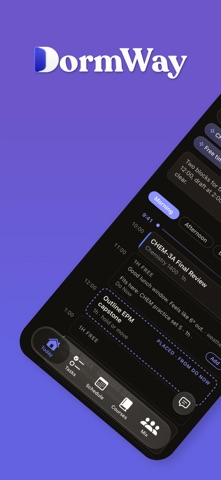
Home is new. Instead of a static screen you read, DormWay now opens on your actual day: your classes in order, what's due, what you need to bring or read before each one, and Ace right there to ask. Everything on it comes from your real schedule, your Canvas data, and the syllabi you sent us. Nothing is invented. Ace can also change your data now, not just talk about it. Tell it a class time is wrong, a course is missing, or a due date moved, and it makes the correction and shows you what it changed. Getting set up for the term is faster and less fragile. You can review an imported schedule before it lands, finish an import that only partly succeeded instead of starting over, and start an import from Ace or the command palette rather than only during onboarding. You can edit course credit hours. Fixes: - Duplicate tasks and duplicate AM/PM classes after import - Grade weights that showed point values as percentages - Tasks rendering twice, plus new display-order controls - A day timeline that could stretch to hundreds of hours when a multi-day all-day event was on your calendar - Google Calendar sync now covers recurring events with no end date, and tells you when a sync fails instead of going quiet - Lecture recording no longer stays on "Listening" when transcription isn't available on your device - Readings from a syllabus can now be checked off, and are findable on iPhone
Audience growth
Ratings growth
Baseline captured. Growth appears after the crawler observes a changed rating count.
Momentum comes from crawler snapshots for the tracked storefront. “Viral growth signal” means unusually fast recent rating gains; it is an indicator, not download data.
Price tracking
Price intelligence
First snapshot captured. The trend line starts after the next crawler price observation.
- First observed Sep 15, 2026 · 11:38 PM Free
Screenshots