About this app
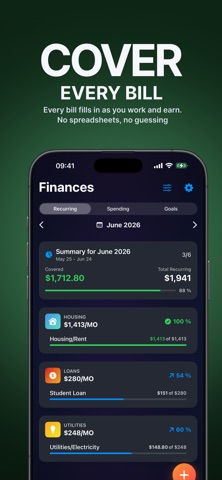
Earner helps shift, hourly, and tipped workers track work, estimate take-home pay, plan bills, and see what is safe to spend before payday. No spreadsheets, no payday guesswork: just your schedule, paycheck, expenses, and goals in one clear place. Built for: - Hourly, shift, tipped, overtime, and irregular-income workers - Fixed-salary workers who want a clearer view of their month - Anyone balancing bills, expenses, savings goals, and spending money between paydays Features: - Track shifts, hours, overtime, tips, and estimated earnings - See your pay build in real time while you work - Estimate taxes, deductions, net pay, and pay periods before payday - Plan recurring bills, everyday expenses, and savings goals - See what is safe to spend after bills and goals are accounted for - Set up schedule patterns and reusable templates for regular or changing work - Try what-if scenarios before taking extra shifts or changing plans - Review charts and summaries that make your money easier to understand Open Earner before, during, or after a shift and turn your work into a clearer payday plan. Earner Premium is optional and handled through App Store subscriptions. Available durations, local prices, and trial offers are shown before purchase. Subscriptions renew automatically unless cancelled in App Store account settings. Privacy Policy: https://jesperandersson.com/earner/privacy Terms of Use (EULA): https://www.apple.com/legal/internet-services/itunes/dev/stdeula/
Latest release
What’s New
- The calendar’s Day at a Glance now includes side income, spending, and a clear daily net total. - Completed shifts show hours worked and pay earned, while upcoming shifts show scheduled hours and estimated earnings. - Calendar activity rows are now neatly aligned for a clearer, more cohesive presentation. - Notification links now open the correct screen more reliably, whether Earner is open, in the background, or closed. - Monthly Spending summaries are more relevant, and several Sick Day localizations have been corrected.
Audience growth
Ratings growth
Baseline captured. Growth appears after the crawler observes a changed rating count.
Momentum comes from crawler snapshots for the tracked storefront. “Viral growth signal” means unusually fast recent rating gains; it is an indicator, not download data.
Price tracking
Price intelligence
First snapshot captured. The trend line starts after the next crawler price observation.
- First observed Aug 25, 2026 · 5:55 PM Free
Screenshots