About this app
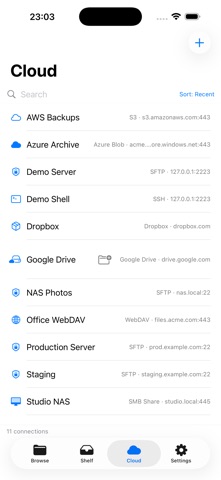
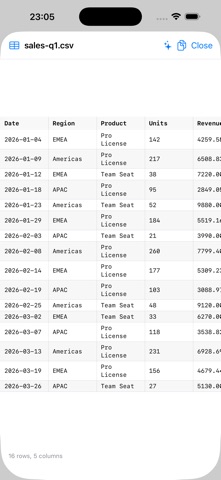
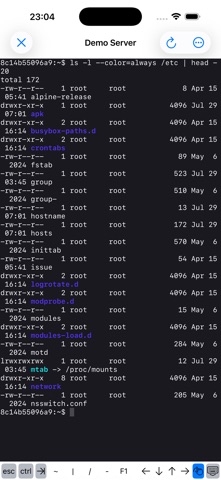
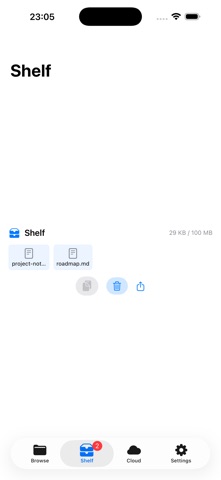
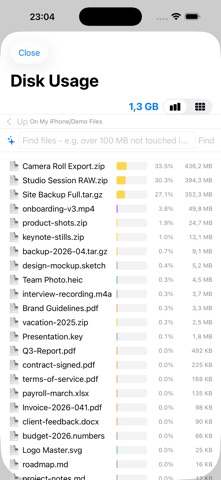
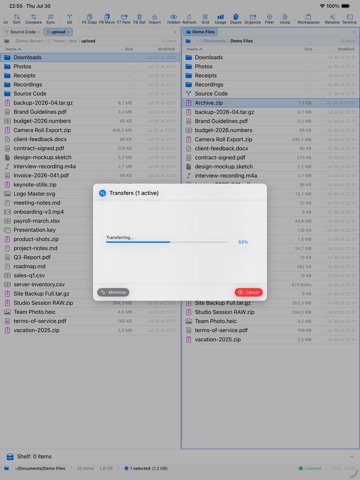
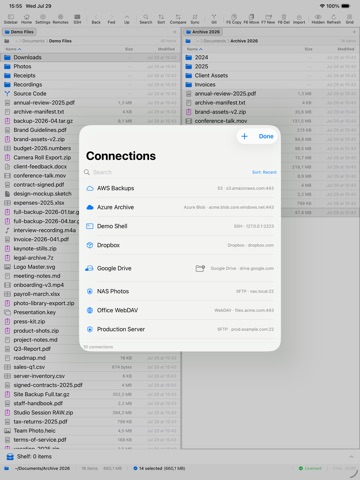
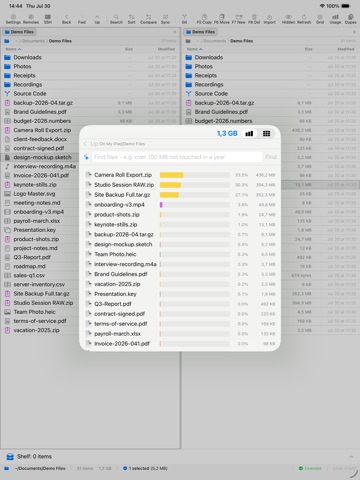
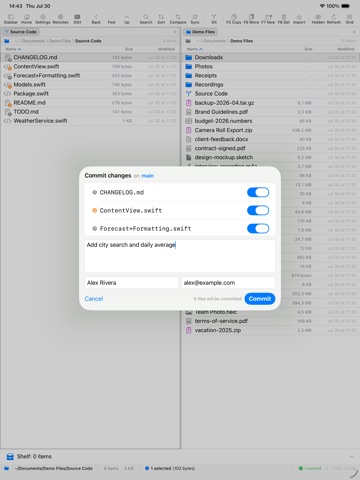
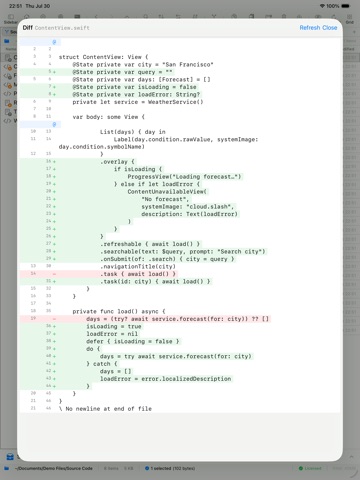
A real file manager for iPad - and for Mac and iPhone. Two panes side by side, drag between them, and move files where they belong without exporting or round-tripping through the Files app. PHOTOS OFF YOUR PHONE The Files app cannot see your photo library. EmpiricCommander can: browse your albums like folders and copy them to a USB-C drive, your NAS, SFTP, S3 - any destination, no account required. Originals are copied byte for byte with EXIF and location intact, a second run copies only what is new, and Free Up Space deletes a photo only after the copy has been read back and verified. THE WHOLE LOOP, NO MAC NEEDED Clone a repository over HTTPS or SSH, open a file in the built-in editor with syntax highlighting, stage your changes, commit, and push - on iPad and iPhone, without a separate terminal app. A commit log with a rendered branch and merge graph shows what happened, per-file diffs show exactly what changed, and merge conflicts are resolved in-app, per file. A REAL SSH TERMINAL An interactive shell to your server, from inside the file manager, on Mac, iPad and iPhone. iOS ships no ssh binary, so this is a full client implementation rather than a wrapper around a system tool. CONNECT TO WHAT YOU ALREADY HAVE SMB network shares (your NAS, Mac, or Windows PC), SFTP with key authentication, S3 and S3-compatible storage, FTP, WebDAV, Azure Blob, Dropbox, and more - browsed, copied, and moved like local folders. Your connection list syncs across your devices through iCloud; passwords stay in the Keychain and are never uploaded. BUILT FOR REAL FILE WORK - Dual-pane on Mac and iPad, with a tab bar on iPhone. - Streaming transfers, including remote to remote, with progress that survives leaving the app. - Folder Sync in four modes, and Compare Folders with SHA-256 verification so you can prove a copy is byte-for-byte identical. - Batch rename with regex, numbering and dates, previewed before it runs. - Browse inside ZIP archives like folders; create ZIP and TAR/GZ; read password-protected archives. - Duplicate finder, disk-usage treemap, checksums, permissions editor. - Quick Look plus rich preview for CSV, JSON, Markdown, YAML, TOML and source code. - Full hardware-keyboard support on iPad: arrows, shift-selection, Tab, Esc, Return, Space. ON-DEVICE AI Describe a batch rename in plain words, or summarize a document, using Apple Intelligence. It runs entirely on your device: no account, no API key, no per-use cost, and your filenames and file contents never leave the device. ONE PURCHASE, THREE PLATFORMS Buy once and use EmpiricCommander on your Mac, iPad and iPhone - one device of each type. Not a subscription. This major version and all of its updates are included. PRIVACY No tracking. Diagnostics are strictly opt-in.
Latest release
What’s New
Files with no extension open properly on iPhone. A file like authorized_keys showed the grey "data" card instead of its contents and had no Edit entry at all. It previews as text and can be edited now. Files the app knows by name - Makefile, LICENSE - are edited in the app instead of being handed to another one, on the Mac as well. Clearing the last diagnostics message works. In Settings > Account, the "ended without warning" line stayed on screen after Clear was tapped, even though it had been cleared. It now disappears immediately, on the Mac and on iPhone.
Audience growth
Ratings growth
Baseline captured. Growth appears after the crawler observes a changed rating count.
Momentum comes from crawler snapshots for the tracked storefront. “Viral growth signal” means unusually fast recent rating gains; it is an indicator, not download data.
Price tracking
Price intelligence
First snapshot captured. The trend line starts after the next crawler price observation.
- First observed Sep 7, 2026 · 11:03 AM Free
Screenshots