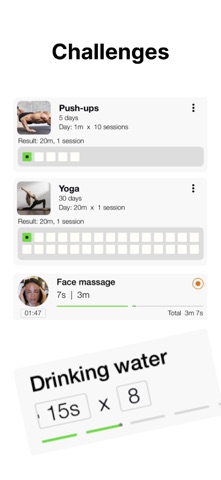
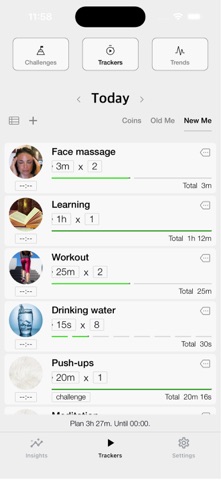
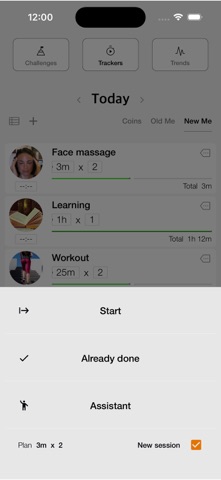
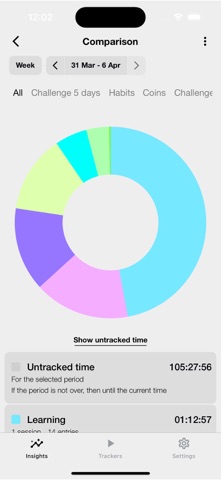
About this app
This app is perfect for you if: - You want to understand where your time goes. - You want to set goals and track your progress. - You need assistance with learning or training activities. - You want to receive reminders throughout the day about your routine. - You want to plan any day in advance. - You want to fall asleep quickly or relax when you’re irritated. The first app with a no-subscription model. One coin - one perfect day. Coins can be earned in the app through your efforts or purchased. Coins do not expire. Three types of tracking: 1. Stopwatch. Suitable for tasks with uncertain durations, such as “Commuting to work” or “Cleaning.” You can set an approximate time, and the app will remind you when it’s up while continuing to count until you stop it. If you forget to stop the stopwatch on time, you can adjust it on the fly. 2. Timer. Perfect for time restrictions. 3. Interval Program. Ideal for techniques like Pomodoro, HIIT, and Tabata. 4. Manual input of start time and duration. The app offers a rich set of analytics widgets that are always available, even if you have no coins in your account. Balance Wheel, Daily Reports, Monthly and Yearly Summaries, Time-of-Day Analysis, and more. Highly customizable sound settings for timers and interval programs. Want ticking sounds every second? Or at the halfway mark? Or maybe voice announcements? Easy. Plan your days in advance. You can create day scenarios, such as “Weekdays,” “Weekends,” or “Emergency.” Each scenario can include activities and a schedule for each. Using scenarios allows you to quickly set up your plan for the day. The app includes built-in activities: "Falling Asleep," "Meditation," and "Calm Down." Using vibration, they help regulate your breathing. Just follow the assistant’s instructions, and you’ll be able to fall asleep in 15 minutes, even if you don’t feel like sleeping. If you’re irritated, start the "Calm Down" activity and deeply relax. Terms of Use: https://www.apple.com/legal/internet-services/itunes/dev/stdeula/
Latest release
What’s New
Sleep assistant added
Audience growth
Ratings growth
Baseline captured. Growth appears after the crawler observes a changed rating count.
Momentum comes from crawler snapshots for the tracked storefront. “Viral growth signal” means unusually fast recent rating gains; it is an indicator, not download data.
Price tracking
Price intelligence
First snapshot captured. The trend line starts after the next crawler price observation.
- First observed Sep 14, 2026 · 2:40 PM Free
Screenshots