About this app
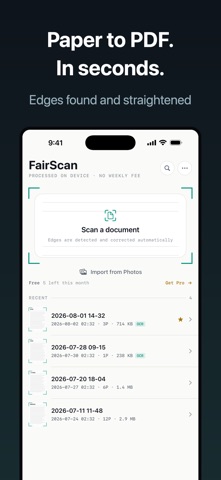
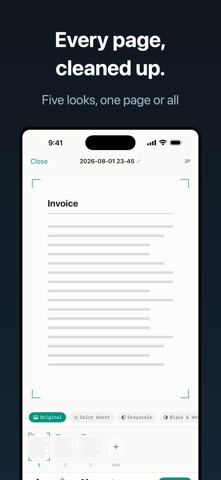
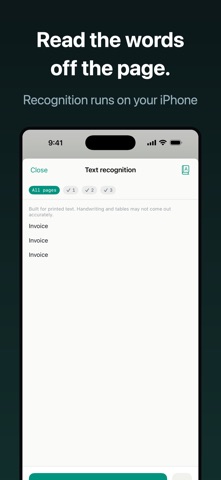
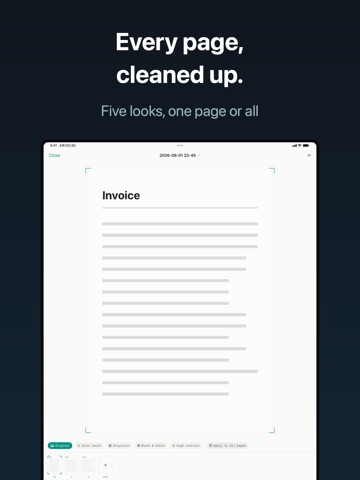
No weekly subscription. FairScan turns paper into a clean PDF in seconds, and everything, including reading the text, happens on your iPhone. Your documents never leave the device. WHAT IT DOES • Point and shoot. The edges are found and straightened for you. • Capture many pages in one go. Reorder, rotate, retake, delete. • Five looks for the page: original, color boost, grayscale, black & white, high contrast. • One PDF, at the size you choose: light for email, standard, or high quality. • Read the printed text (Japanese, English, Chinese, Korean). Copy it, search it, or export it as TXT. • Keep everything in folders, mark favorites, and search by name or by the words inside a document. PRICING YOU CAN READ IN ONE LINE There is no weekly plan. Monthly, yearly, or a one-time purchase. You pick, and the price is on screen before you buy. Free: 5 new documents a month, up to 10 pages each. No ads. No watermark. Every feature unlocked, text recognition included and unlimited. Pro: unlimited documents and unlimited pages. Documents you have already made stay open and shareable even if you stop paying. PRIVATE BY DESIGN No account. No sign-in. No cloud of ours. Scanning, filtering, text recognition and PDF creation all run on your device, so the app works in airplane mode. GOOD FOR Receipts you file each month. Forms for school or the city office. Contracts and invoices worth keeping. Handouts you want as a single file. Anything printed you would rather have as text. Requires iOS 18 or later. iPhone and iPad. Terms and privacy Monthly and yearly are auto-renewing subscriptions. Unless canceled at least 24 hours before the period ends, they renew for the same period. You can cancel any time in your Apple ID settings. The one-time purchase does not renew. https://www.apple.com/legal/internet-services/itunes/dev/stdeula/ https://fillapps.com/privacy/
Latest release
What’s New
Minor improvements and stability fixes.
Audience growth
Ratings growth
Baseline captured. Growth appears after the crawler observes a changed rating count.
Momentum comes from crawler snapshots for the tracked storefront. “Viral growth signal” means unusually fast recent rating gains; it is an indicator, not download data.
Price tracking
Price intelligence
- First observed Aug 25, 2026 · 2:59 PM Free
Screenshots