About this app
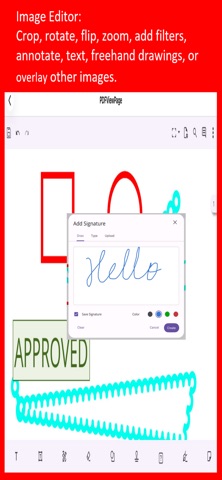
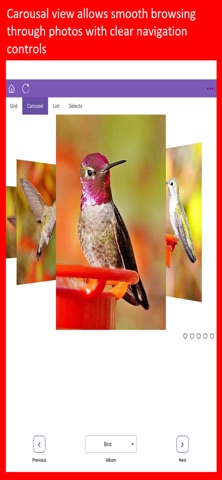
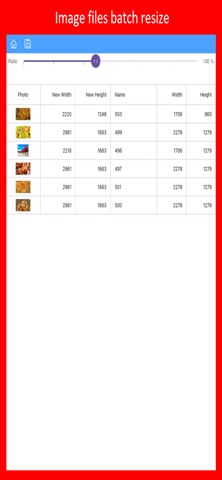
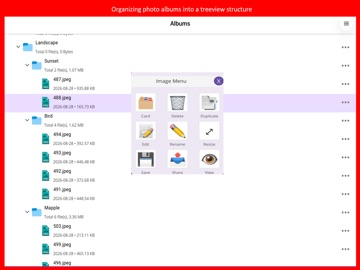
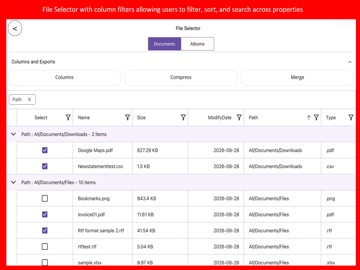
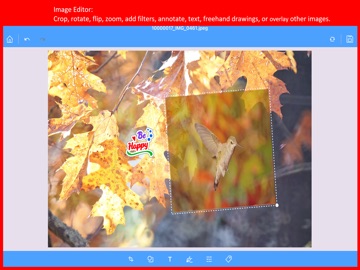
Unify and simplify your digital life with a powerful manager that combines file organization and photo editing in one seamless interface. Navigate with an intuitive tree view, then switch to dynamic photo-friendly displays like grid, list, Rotator, or multi select view to browse visually. Core File & Folder Management Navigate files in tree-view style & perform key ops: Rename, Save/Move, Share, Delete, Play media, or open as PDF. Merge multiple documents (Word, Excel, PPT, images, text, HTML) into a single PDF. Compress files into ZIP or extract archives with structure browsing. Backup and restore data easily to/from the cloud across devices. Smart Photo & Album Organization Turn photos into a professional photography-style library. View in multiple layouts: Grid, Rotator, File List, Multi-select. Batch resize, export to PDF/PPT/Word, create animations, and search by title, description. Built-in Editors for PDFs, Images, Text & Cards PDF Editor: Convert multiple formats to PDF, then magnify, navigate, search text, and annotate. Image Editor: Crop, rotate, flip, zoom, add filters, annotate with shapes, text, freehand drawings, and overlay images. Card Editor: Attach extra information to any file or folder. Advanced Multi-Select & Productivity Tools Perform batch operations: compress, delete, duplicate, export, move, resize, or share. Terms of Use (EULA): https://www.apple.com/legal/internet-services/itunes/dev/stdeula/
Latest release
What’s New
Enterprise UI & Dynamic Views: Completely redesigned interface featuring flexible visual layouts—including Grid, Rotator, and Multi-Select views—alongside the traditional tree-view. Smart Asset & Album Search: Professional photo library management with advanced search tools (by title/description) and batch export options (PDF, PPT, Word). Comprehensive Media Editors: Built-in PDF Editor with annotation and text search, plus a full Image Editor supporting cropping, filters, and dynamic markups. Cloud Backup & Restore: Secure multi-device data backup and restoration capabilities. Enhanced Batch Productivity: Advanced multi-select tools to batch resize, compress, delete, duplicate, and export files instantly. Custom Card Editor: Attach custom rich-data notes and metadata directly to any file or folder. Breaking Changes Notice: Version 2.0 introduces structural upgrades and is not backward compatible with Version 1. Please back up and save all current files prior to installation.
Audience growth
Ratings growth
Baseline captured. Growth appears after the crawler observes a changed rating count.
Momentum comes from crawler snapshots for the tracked storefront. “Viral growth signal” means unusually fast recent rating gains; it is an indicator, not download data.
Price tracking
Price intelligence
First snapshot captured. The trend line starts after the next crawler price observation.
- First observed Sep 20, 2026 · 3:25 AM Free
Screenshots