About this app
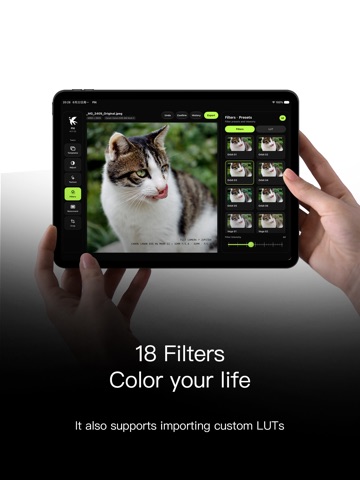
Flit is a photo editor focused purely on the image itself. No accounts, no social feeds, and no ad tracking. Simply open a photo and start color grading. 【Built for Color】 - 18 built-in filters covering natural, soft, and stylized color profiles - Support for importing custom `.cube` LUTs - Adjustments for exposure, contrast, highlights, shadows, saturation, color temperature, and tint - Color-specific adjustments for hue, saturation, and luminance - 5-point tone curve with real-time adjustment and reset capabilities - Independent control over filter and LUT intensity 【Built for Texture】 - Grain, dust, light leaks, and vignetting - Sharpening, soft edges, chromatic aberration, and fade effects - 13 photo frame styles and 4 camera info overlays - Reads embedded camera, lens, exposure, and shooting data 【Uninterrupted Editing】 - Original image comparison, undo/redo, and edit history - Standard crop ratios, rotation, and flipping - Save current edits as templates for future use - Drafts saved locally to resume editing later - Full-resolution JPEG export with optional metadata retention 【Designed for iPhone and iPad】 Optimized for one-handed use and photo previewing on iPhone; displays previews, tools, and edit details simultaneously on iPad for a clearer large-screen editing experience. Flit supports Simplified Chinese, Traditional Chinese, English, and Japanese, with Dark, Light, and System-matching appearance modes. Note: Color adjustments, drafts, templates, and imported LUTs are stored locally on your device. Photos containing GPS data may use Apple Maps services to convert coordinates into location names; please refer to the Privacy Policy for details.
Latest release
What’s New
Flit 1.16 expands the filter and camera-watermark experience: Explore six celestial-themed filter collections, each with 30 distinct looks and clearer naming. Choose from seven camera-watermark styles, including centered metadata, brand marks, and a digital date stamp. Edit only the device, capture details, or date used by the selected watermark, with consistent preview and export results. Enjoy improved camera-model formatting, brand-logo spacing, and watermark-editor layout. Fixed duplicated camera make and model names in some photos.
Audience growth
Ratings growth
Baseline captured. Growth appears after the crawler observes a changed rating count.
Momentum comes from crawler snapshots for the tracked storefront. “Viral growth signal” means unusually fast recent rating gains; it is an indicator, not download data.
Price tracking
Price intelligence
First snapshot captured. The trend line starts after the next crawler price observation.
- First observed Sep 9, 2026 · 4:39 AM Free
Screenshots