About this app
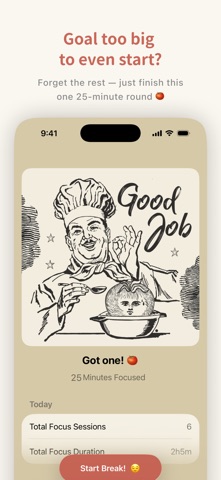
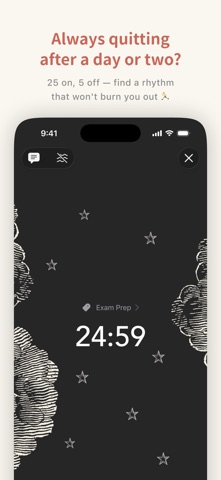
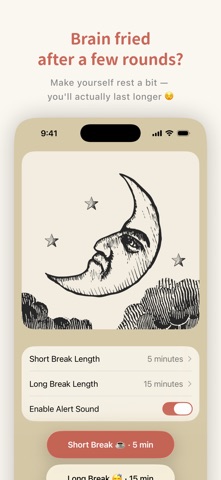
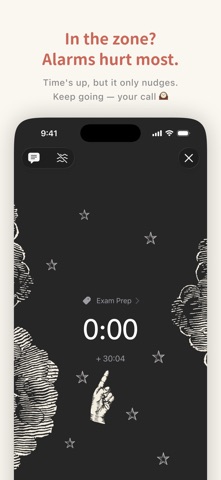
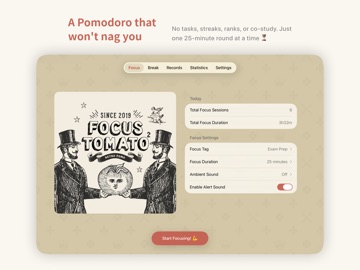
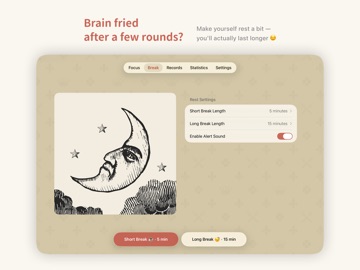
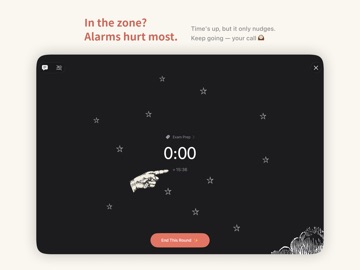
A retro Pomodoro timer that does not push too hard. No tasks, no achievements, no leaderboards. Just something to help you get through one 25-minute session at a time. The original Focus Tomato earned a 4.9 / 5.0 rating, 27,000+ reviews worldwide, and multiple Apple editorial features. Focus Tomato 2 keeps the same spirit, now with focus tags, iCloud sync, and richer stats. Focus Tomato 2 is made to help you stay focused without feeling trapped. It helps you face the real work, keep going longer, and still leave room to breathe. Finish things gracefully, close the tomato, and enjoy your actual time off. — Q: You study for hours, but still feel like you are falling behind? A: Break time into 25-minute sessions, sit down, and ease yourself into focus. The Pomodoro method is simple: reduce distractions, lower procrastination, and make it easier to start and keep going. Q: You work hard for a few days, then lose momentum? A: Use a rhythm of 25 minutes of focus and 5 minutes of rest, so you do not burn yourself out all at once. Focus is not about forcing yourself to the end. Rest well, and you can go further. Q: You want to learn something outside school or work, but cannot keep it going? A: Focus Tomato helps you set aside dedicated time for long-term goals, then track them clearly with tags. Use tags like “content creation,” “design study,” or “exam prep” to track courses, video editing, reading plans, and more. One or two tomatoes a day can help long-term goals slowly add up, instead of being swallowed by small daily chores. — Core features: 1. No forced stop, so your flow can continue Many Pomodoro timers push you to stop when time is up. Focus Tomato only reminds you that time is up, without forcing you out of flow. 2. Editable timeline, with manual entries and adjustments Forgot to stop the timer? No problem. You can add or edit records manually, so your history stays closer to reality. 3. Start a break anytime, and take another if needed Rest is not just an add-on after focus. Accidentally worked through your 5-minute break? Take another one right away. Choose a short or long break whenever you need it. 4. Break overtime is tracked too, for better pacing If your break runs longer than planned, Focus Tomato keeps timing and records it. Rest is not blank space. It becomes part of your real rhythm. 5. Custom tags, paired with stats review Add tags to each focus session, such as “study,” “side project,” or “creation,” so you can see where your time goes and review your long-term progress in stats. 6. iCloud sync, so your records follow your devices Sign in with the same Apple ID and enable iCloud to sync focus records between iPhone and iPad. 7. Lock Screen, Dynamic Island, and Home Screen widgets No need to unlock or open the app. Glance to see how much time is left, and check today’s tomato count right from your Home Screen. — Real reviews from the Focus Tomato series The original app has earned a 4.9 / 5.0 rating and 27,000+ reviews worldwide. Thank you for all your support! “Gorgeous Pomodoro app!” I’ve used a few Pomodoro apps, and most are too serious or too formal. This one has a sense of humor, and the tomato face is priceless. — Camilo Rodríguez Gaviria “I have ADHD, and this app became my favorite!” I love the images, sounds, and background noise. It is also simple, so I do not get overwhelmed by too many features. — SkyBlueFireDragon14 “Best Pomodoro timer” The interface is simple, beautiful, and has no ads. Background ambience can play in the background, and the overall experience is great value. — Me291537911 “Super cute” The art style is so fun, and the “someone behind you” mode made me laugh. Highly recommended. — juku
Latest release
What’s New
This update makes the Stats calendars more useful, so you can review your daily focus progress at a glance. Stats improvements ・Weekly and monthly calendars now show the total focus time for each day ・Multiple focus sessions completed on the same day are automatically combined ・Daily focus time is shown in hours:minutes for easier comparison
Audience growth
Ratings growth
Baseline captured. Growth appears after the crawler observes a changed rating count.
Momentum comes from crawler snapshots for the tracked storefront. “Viral growth signal” means unusually fast recent rating gains; it is an indicator, not download data.
Price tracking
Price intelligence
- First observed Oct 8, 2026 · 1:11 AM Free
Screenshots