About this app
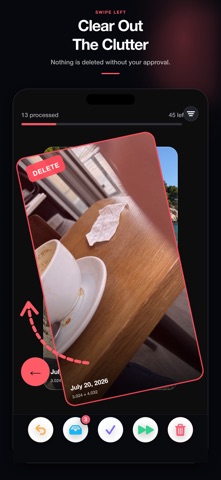
Too many photos and no idea where to start? Gallery Swipey makes it easy to review your camera roll one item at a time, organize memories into albums, and safely remove the clutter you no longer need. SWIPE THROUGH THE CLUTTER • Swipe left to add unwanted items to your Deletion List • Swipe right to keep moving through your memories • Undo your latest action with one tap • Review both photos and videos in a smooth card-based flow ORGANIZE YOUR ALBUMS • Tap an album card to file the current photo instantly • Create a new album without leaving your cleanup session • Reorder albums so your favorites are always within reach • Focus on media from a specific album START WHERE IT MATTERS • Browse newest first, oldest first, randomly, by year, or by duplicates • Narrow your library to a custom date range • Include or exclude screenshots and favorites • Show or hide items you have already reviewed REVIEW BEFORE YOU DELETE Nothing you swipe left is deleted immediately. Check every choice in the Deletion List, remove anything you want to keep, and delete only when you are ready. Final deletion also requires the standard iOS confirmation. PRIVATE BY DESIGN Your photos, videos, album names, and location details are not uploaded by the app. Your photo library stays on your device. Turn an overwhelming camera roll into quick, satisfying cleanup sessions. Organize your memories, clear unwanted media, and reclaim space with Gallery Swipey. Terms of Use: https://salik-a.github.io/gallery-swipey-terms/
Audience growth
Ratings growth
Baseline captured. Growth appears after the crawler observes a changed rating count.
Momentum comes from crawler snapshots for the tracked storefront. “Viral growth signal” means unusually fast recent rating gains; it is an indicator, not download data.
Price tracking
Price intelligence
First snapshot captured. The trend line starts after the next crawler price observation.
- First observed Sep 4, 2026 · 3:58 AM Free
Screenshots