About this app
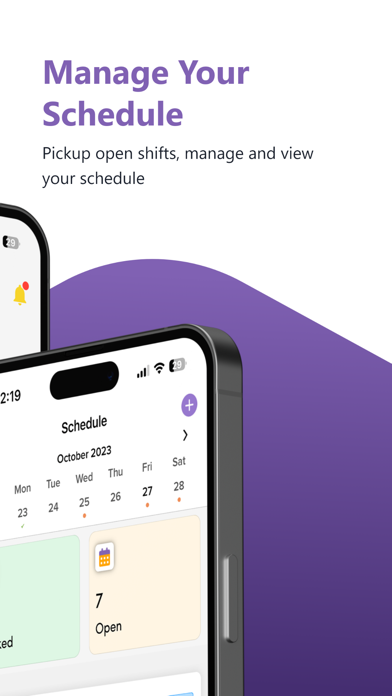
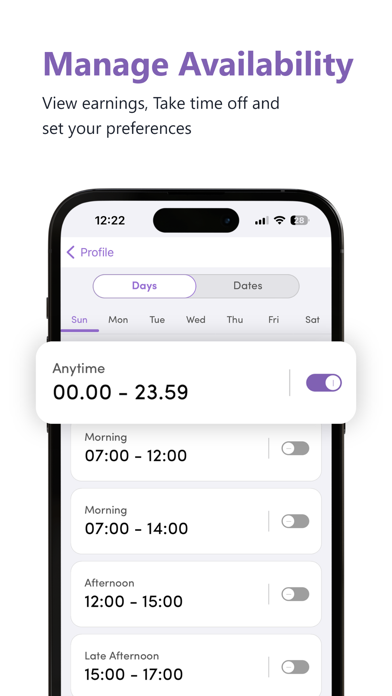
The Get Shifts app is a robust workforce management tool designed to enhance shift scheduling, timesheet tracking, and communication for both employees and employers. This comprehensive app simplifies managing work schedules, tracking earnings, and ensuring compliance with industry regulations through an intuitive interface and engaging features. Key Benefits: • Easily Pick Up Open Shifts: View and pick up open shifts anytime, anywhere. Receive notifications of new shifts and reminders to ensure you never miss an opportunity. • Access Various Profiles with Different Companies: Seamlessly switch between profiles for different companies you’re registered with, ensuring you’re always connected to the right workplace. • Efficient Shift Management: View comprehensive shift details, including date, time, location, and pay rate. Use geofencing to verify your location, start and end your shifts accurately, and easily swap or cancel shifts if needed. • Accurate Clock-In and Clock-Out with Geofencing: The clock-in and clock-out feature ensures precise work hours. Geofencing verifies your location, making sure you start and end your shifts at the correct worksite. • Simplified Shift Swaps: If you're unable to work a scheduled shift, quickly find replacements by initiating a shift swap. Select a colleague and send a request directly through the app. • Comprehensive Timesheet Tracking: Manage and submit timesheets for each pay period. Access detailed breakdowns of your worked hours, track earnings, and ensure accuracy with supervisor signatures where required. • Track Your Earnings: Keep a detailed record of your earnings over selectable time periods. Monitor your income and financial records easily. • Manage Compliance Documents: To maintain your work eligibility, keep your compliance documents up to date. The app tracks the status of your documents and sends reminders when updates are needed. • Customisable Availability Settings: Set your work availability preferences and manage your schedule with ease. Specify your availability for each day of the week and customise detailed time slots. • Real-Time Communication: Use the built-in chat function to communicate with your administrative team in real time. Stay updated with an activity feed that keeps you informed about recent activities and updates related to your shifts. • Support and FAQs: Access a comprehensive list of frequently asked questions and contact the support team directly for additional assistance. Privacy and Security: The Get Shifts app prioritises your privacy and data security. Review our detailed Privacy Policy and Terms of Service to understand how your information is protected and used. Download the Get Shifts app now and take control of your work schedule, track your earnings, and ensure compliance with ease!
Latest release
What’s New
QR Code Generation: Unique, time-sensitive QR codes are generated for each shift or work location.
Audience growth
Ratings growth
Baseline captured. Growth appears after the crawler observes a changed rating count.
Momentum comes from crawler snapshots for the tracked storefront. “Viral growth signal” means unusually fast recent rating gains; it is an indicator, not download data.
Price tracking
Price intelligence
First snapshot captured. The trend line starts after the next crawler price observation.
- First observed Aug 27, 2026 · 4:15 AM Free
Screenshots