About this app
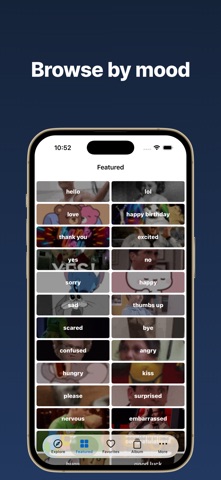
GIFFF is a GIF app for discovering trending GIFs, building your favorites, and sending them anywhere fast. Browse real-time trending GIFs, find the perfect one for any mood or moment in curated categories, and save the ones you love to your favorites. Anything you save is ready across the app, your keyboard, and your iMessage extension — and you can save GIFs to Photos to share through any other app, too. ■ Core Features • Trending GIFs — Real-time updates on what's popular right now • Browse Categories — Curated collections by mood, moment, and reaction • Fast Search — 32-language auto-matching to find the GIF you want instantly • Synced Favorites — Saved GIFs work across the app, keyboard, and iMessage • Save & Share — Send GIFs to Photos or share to any app • GIF Keyboard — Add to your system keyboards and use in any app • iMessage App — Drop GIFs straight into Messages without leaving the chat ■ Made For • People who love discovering fresh trending GIFs every day • Daily group chat, DM, and comment GIF replies • Anyone who wants their favorite GIFs ready to send anytime • Sharing reactions on Instagram stories, Messages, and more ■ How to Use GIFFF works three ways: 1) The app itself — Search, browse, favorite, and save GIFs 2) iMessage app — Tap the apps icon next to the Messages text field, choose GIFFF, then tap a GIF to insert it 3) GIF Keyboard — Open Settings → General → Keyboard → Keyboards → "Add New Keyboard" → GIFFF. Tap the added GIFFF entry and turn on "Allow Full Access" (needed to fetch GIFs). When typing in any app, tap the globe icon on your keyboard to switch to GIFFF ■ GIFFF Pro Upgrade to GIFFF Pro to unlock everything: • Ad-free — No interruptions while you browse • Unlimited saves and shares • Unlimited favorites • Priority support Get GIFFF and find the perfect GIF for every moment in your day. Terms of Use: https://spacenodehq.web.app/gifff/terms.html Privacy Policy: https://spacenodehq.web.app/gifff/privacy.html
Latest release
What’s New
• Stability improvements and bug fixes
Audience growth
Ratings growth
Momentum comes from crawler snapshots for the tracked storefront. “Viral growth signal” means unusually fast recent rating gains; it is an indicator, not download data.
Price tracking
Price intelligence
- First observed Aug 23, 2026 · 7:11 PM Free
Screenshots