About this app
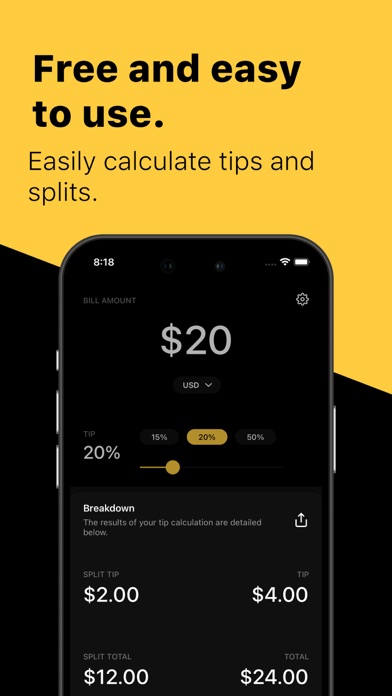
We are thrilled to present the very first version of Tip Calculator, your ultimate tool for effortless bill splitting and tip calculations. What's in v1: User-Friendly Interface: We've designed a sleek and intuitive user interface that makes calculating tips a breeze. No more fumbling with numbers; with just a few taps, you can swiftly calculate the perfect tip for your meal. Bill Splitting Made Easy: Whether you're dining with friends, family, or colleagues, our app helps you evenly split the bill, ensuring that everyone pays their fair share. Say goodbye to disputes and awkward calculations at the table! Custom Tip Percentages: We understand that tipping preferences vary, so we've included a feature that allows you to set custom tip percentages to match your preferences. You can be as generous or as frugal as you like! Round Up or Down: Want to round the tip amount up or down? No problem! We offer a simple toggle to help you achieve the exact amount you desire, leaving you in complete control. Instant Feedback: As you input your bill details, you'll receive real-time feedback on the tip and total amount. No more second-guessing, thanks to our live updates. Dark Theme Support: We know that late-night dinners and low-light environments are common. That's why Tip Calculator supports Dark Theme, making it easy on the eyes even in dimly lit situations. Settings & Preferences: Tailor Tip Calculator to your liking with customizable settings. Whether you prefer a different currency symbol or a unique app theme, we've got you covered. Terms of Use: https://www.apple.com/legal/internet-services/itunes/dev/stdeula/
Latest release
What’s New
In our latest app update, we've been hard at work to make your experience even better. Here's what's new: - Language updates - Bug fixes Love the app? Rate us! Your feedback guides us, and we're committed to providing an app that makes your life easier. Stay tuned for more exciting updates on the horizon. Thanks for being a part of our journey!
Audience growth
Ratings growth
Baseline captured. Growth appears after the crawler observes a changed rating count.
Momentum comes from crawler snapshots for the tracked storefront. “Viral growth signal” means unusually fast recent rating gains; it is an indicator, not download data.
Price tracking
Price intelligence
First snapshot captured. The trend line starts after the next crawler price observation.
- First observed Aug 28, 2026 · 11:07 PM Free
Screenshots